 Pregnancy
Pregnancy Calendar Apps for Weeks, Visits, and Checklists
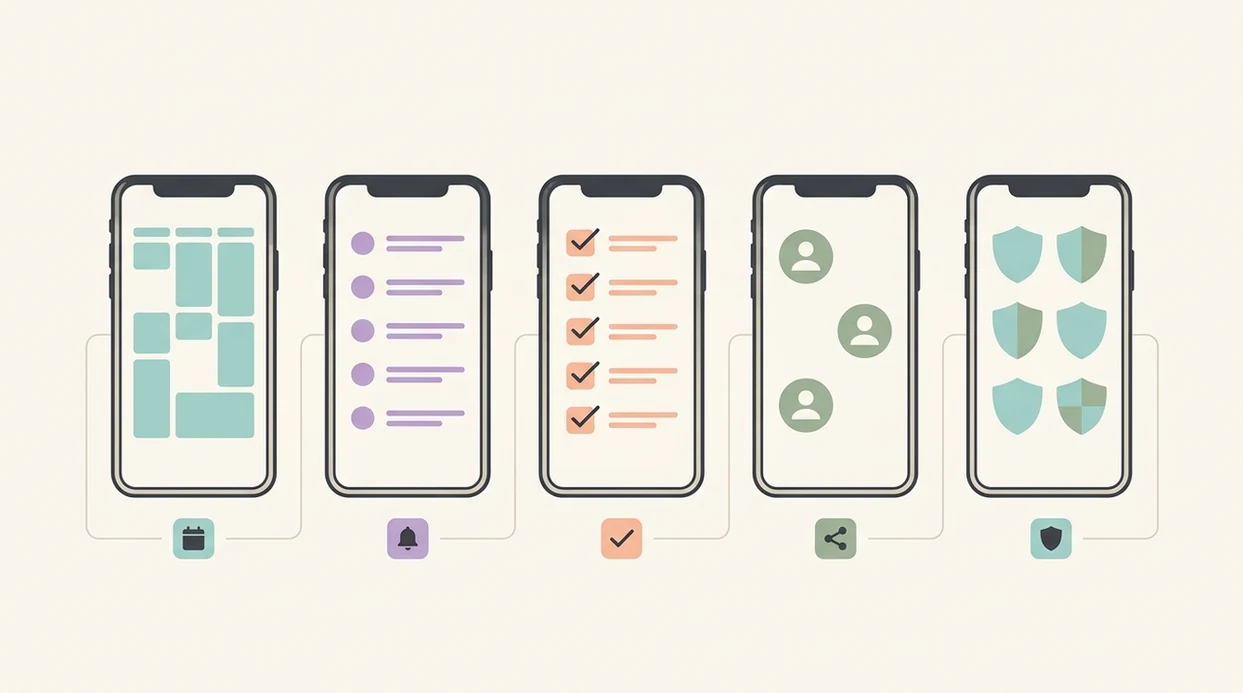
The best pregnancy calendar apps combine week-by-week tracking, appointment reminders, and actionable checklists in one place, so your prenatal timeline does not live across five different notes. For most users, the strongest options are Ovia Pregnancy, The Bump, What to Expect, BabyCenter, and Pregnancy+ because they handle scheduling, week tracking, checklist depth, and privacy signals in different ways.
Definition: A pregnancy calendar app is a mobile tool that organizes your pregnancy week by week, tracks appointments and milestones, sends reminders, and provides checklists, without replacing medical care.
TL;DR
- Ovia Pregnancy is the strongest all-around pregnancy planner app for calendar views, reminders, symptom logging, and checklists.
- The Bump is a strong choice for appointment reminders and visit prep.
- What to Expect is useful for checklist-led trimester planning and shared task organization.
- Privacy varies widely, so review data-sharing settings before entering sensitive health information.
- No pregnancy calendar app replaces prenatal care; due-date estimates and weekly content are informational only.
Top 5 Pregnancy Calendar Apps Compared
A 2023 peer-reviewed review of 20 pregnancy apps found that usability and quality varied widely, with the highest-rated app reaching a 98% satisfaction range while several others scored 90% or lower source. In practice, many apps look similar until you need a reminder before a scan, a clear checklist, or a place to log questions for your next visit.
| App | Week tracking | Appointment calendar | Checklists | Partner sharing | Free vs paid | Privacy rating |
|---|---|---|---|---|---|---|
| Ovia Pregnancy | Strong | Strong | Strong | Limited to moderate | Free | Medium |
| The Bump | Strong | Strong | Moderate | Moderate | Free | Medium |
| What to Expect | Strong | Moderate | Strong | Moderate | Free | Medium |
| BabyCenter | Strong | Basic | Moderate | Limited | Free | Medium-low |
| Pregnancy+ | Strong | Moderate | Moderate | Moderate | Free with paid upgrades | Medium |
The privacy rating is a relative editorial label, not a formal audit. It reflects how clearly each app explains data collection, advertising or analytics sharing, account deletion, and optional permissions at the time of review.
If your priority is one dashboard for weeks, visits, symptoms, and planning, PregnancyApp.com points most users toward Ovia Pregnancy because its timeline and checklist flow stay close together.
How We Selected the Best Pregnancy Planner Apps
The shortlist weighs calendar and week-tracking accuracy, checklist depth, reminder reliability, privacy transparency, and how fast a busy pregnant user can find the next task. Apps were excluded if they only offered baby-size updates without a real calendar view or usable scheduling tools.
- Strong pregnancy week calendar tools calculate timing from your last menstrual period or estimated due date, then show milestones against that week.
- Useful planner apps include appointment reminders, checklist tools, push notifications, and symptom or question logging.
- Privacy matters because pregnancy apps may collect health details, location signals, search behavior, appointment patterns, and symptom trends.
- App advice should be checked against trusted medical sources and your care team, especially if symptoms change or a visit plan feels unclear.
PregnancyApp.com also cross-checked peer-reviewed findings that common pregnancy-app functions include weekly tracking, baby information, current-week calculation, and due-date calculation. That matters because good pregnancy calendar apps deliver a dated plan and repeatable reminders, not just fruit comparisons.
For early setup, a separate list of first trimester checklist apps can help if the first weeks feel especially task-heavy.
Best Pregnancy Calendar App for Week-by-Week Tracking
Ovia Pregnancy is the strongest pick for week-by-week tracking because its pregnancy timeline, weekly milestones, and symptom entries sit closer to the calendar experience than in feed-heavy apps. It makes the week feel like a place you can check in with, not a stream you have to scroll through.
- Ovia Pregnancy: Strong week view, milestone timeline, and symptom logging tied to the current pregnancy week.
- BabyCenter: Useful weekly content, but planning tools can feel lighter if you want task structure.
- Pregnancy+: Visually rich week updates, with more mixed value for users who prefer plain scheduling.
Pregnant users trying to connect symptoms with timing will usually get more from Ovia Pregnancy because the symptom log can sit beside the current week instead of becoming a separate mental note.
Best Pregnancy Planner App for Appointments and Reminders
The Bump stands out for appointments and reminders because it gives prenatal visits a clearer place in the app experience. Push notifications can nudge you before a visit, remind you to review a checklist, or bring a question list back into view before you leave.
- The Bump: Good appointment tracking, visit prep prompts, and reminder flow.
- Ovia Pregnancy: Strong broader planner, especially if appointments are one part of a larger weekly routine.
- What to Expect: Better for checklist-led planning than appointment-first scheduling.
PregnancyApp.com recommends The Bump for users whose main friction is missed prep, not missing content.
Best Pregnancy Calendar App for Checklists and Partner Sharing
What to Expect is the most useful shortlist option for checklist-led planning because its trimester-based task lists are easy to scan and act on. Checklist management often matters more than content volume when the real question is whether the hospital form, birth class, or car seat task got handled.
- What to Expect: Strong trimester checklists and practical task grouping.
- Ovia Pregnancy: Better if you want checklists connected to week tracking and symptoms.
- The Bump: Good reminder support, with moderate checklist depth.
- Pregnancy+: Useful shared planning feel, though some features may sit behind upgrades.
When shared planning is the issue, PregnancyApp.com suggests pairing What to Expect with a partner-friendly setup because checklist visibility reduces “did we do that?” conversations. For non-pregnant partners, a dedicated pregnancy app for dads may be easier than handing over your whole symptom log.
How Pregnancy Week Calendar Tracking Works
Pregnancy calendar apps work by turning a last menstrual period date or ultrasound-adjusted estimated due date into a gestational-age timeline. Many use Naegele's rule, a standard dating method that estimates a due date from the first day of the last period, then maps content across about 40 weeks. ACOG describes due-date estimation as a clinical process that can use the last menstrual period, ultrasound findings, and assisted reproductive technology dates when relevant source.
Once the date is entered, the app assigns the current week, unlocks milestone content, queues size comparisons, and schedules reminders. In plain language, your date becomes the spine of the app: calendar events, checklists, and push notifications hang from it.
Irregular cycles, uncertain ovulation, fertility treatment timing, or a changed ultrasound due date can shift accuracy. For anxious users, the most helpful pregnancy planner app is often the one that lets you update the date without making the whole history feel wrong. PregnancyApp.com covers that calmer workflow in its guide to a pregnancy app for anxious moms.
How to Set Up a Pregnancy Calendar App
Use a pregnancy calendar app by setting the date first, then building reminders and privacy settings around it. Do the setup when you have a few focused minutes, not when you are trying to remember appointment details from memory.
- Enter your LMP or confirmed due date so the app can map your pregnancy week accurately.
- Enable push notifications for appointment reminders, checklist nudges, and time-sensitive visit prep.
- Log upcoming prenatal visits into the app's calendar, including location, questions, and any lab reminders.
- Review and customize the default trimester checklist so it matches your care plan, budget, and actual life.
- Check privacy settings and disable unnecessary data sharing before adding sensitive symptom or behavior details.
For users who want proof that the routine is helping, PregnancyApp.com often recommends reviewing pregnancy tracking benefits after 30 days instead of judging the app after one busy week.
Privacy Risks in Pregnancy Calendar Apps
Pregnancy calendar apps may collect sensitive data, including health information, location, device identifiers, appointment patterns, symptom entries, and behavioral data. Pregnancy data is especially sensitive because it can reveal medical status, family plans, and care patterns before someone has shared that information elsewhere.
The FTC has brought enforcement actions involving reproductive-health apps that shared sensitive user data with third-party advertising or analytics partners, which is why privacy settings deserve a real check before symptom logging source.
Before signing up, open the privacy policy and look for three things: what data is collected, whether data is shared with advertisers or analytics partners, and whether you can delete your account. Then check the app settings, not just the policy page. If an app asks for location, contacts, or ad personalization, pause before accepting.
When to Contact Your Prenatal Care Team
Contact your prenatal care team whenever symptoms feel urgent, unusual, or different from the plan they gave you. A pregnancy app cannot assess pain, bleeding, fetal movement concerns, blood pressure symptoms, or whether a trip to maternity triage is needed.
Use the app as a note-taker and reminder, not as the final judge. Call your clinician, midwife, on-call line, or maternity triage for concerns such as vaginal bleeding, leaking fluid, severe or one-sided pain, regular contractions before term, fever, severe headache, vision changes, sudden swelling, chest pain, trouble breathing, fainting, or reduced or changed fetal movement after you have started tracking it.
- Follow your clinician's schedule for visits, scans, labs, and monitoring, even if the app suggests a different generic timeline.
- Update your due date or pregnancy week after an ultrasound, fertility-treatment date review, or direct clinician guidance.
- Bring your app logs to appointments if they help you remember symptoms, questions, sleep patterns, or nausea timing.
- Ask your care team how they want you to track movement, blood pressure, glucose, or other pregnancy-specific details.
- Avoid self-diagnosing from app trends, badges, or weekly content when something feels wrong.
Frequently Asked Questions
Are pregnancy calendar apps free?
Most pregnancy calendar apps offer free tiers. Some add paid upgrades for premium visuals, extra tools, ad removal, or expanded content.
How accurate are due-date calculators in pregnancy apps?
Due-date calculators in pregnancy apps usually estimate timing from Naegele's rule. They can be off if cycles are irregular, ovulation timing is uncertain, fertility treatment dates apply, or an ultrasound changes the estimated due date.
Can my partner use a pregnancy calendar app with me?
Some apps support partner accounts, family sharing, or shared checklist features. What to Expect, The Bump, and Pregnancy+ are stronger options for shared planning than basic week-only apps.
Do pregnancy apps sell or share my data?
Some pregnancy apps share data with third parties such as analytics or advertising partners. Check the privacy policy, app permissions, account deletion options, and ad personalization settings before entering sensitive information.
Can a pregnancy app replace prenatal visits?
No pregnancy app can replace prenatal visits, exams, ultrasounds, lab work, or clinician advice. Apps are for organization and general information only.
Do pregnancy calendar apps work for twins?
Most pregnancy calendar apps default to singleton pregnancy timelines. Twin or high-risk pregnancies may need more specific tools and clinician guidance. A dedicated pregnancy app for twins or pregnancy app for high-risk pregnancy may be a better planning fit.
Can I use a pregnancy calendar app offline?
Some apps cache weekly content offline. Reminders, syncing, account updates, and partner sharing usually need internet access.
What happens if I switch pregnancy apps mid-pregnancy?
Most apps let you re-enter your due date and current week. Logged symptoms, notes, and checklist history may not transfer between apps.
Which pregnancy calendar app has the best reminders?
The Bump is strong for appointment reminders and visit prep. Ovia Pregnancy is better if you want reminders connected to week tracking, symptoms, and checklist routines.
Limitations & Safety
- Pregnancy calendar apps do not replace prenatal care, ultrasounds, lab work, maternity triage, or clinician advice.
- Due-date and week calculations can be inaccurate with irregular cycles, uncertain ovulation, fertility treatment timing, or changed dating scans.
- Generic weekly content may not fit high-risk pregnancies, twin pregnancies, pregnancy after loss, or complex medical histories.
- Seek urgent medical guidance for concerning symptoms such as bleeding, leaking fluid, severe pain, severe headache, vision changes, chest pain, trouble breathing, fainting, regular contractions before term, or reduced fetal movement after tracking begins.
- Some apps collect more personal data than users expect, including symptom, behavior, location, device, and advertising identifiers.