 Pregnancy
Pregnancy App for Twins: Tracking Features and Clinician-Care Caveats
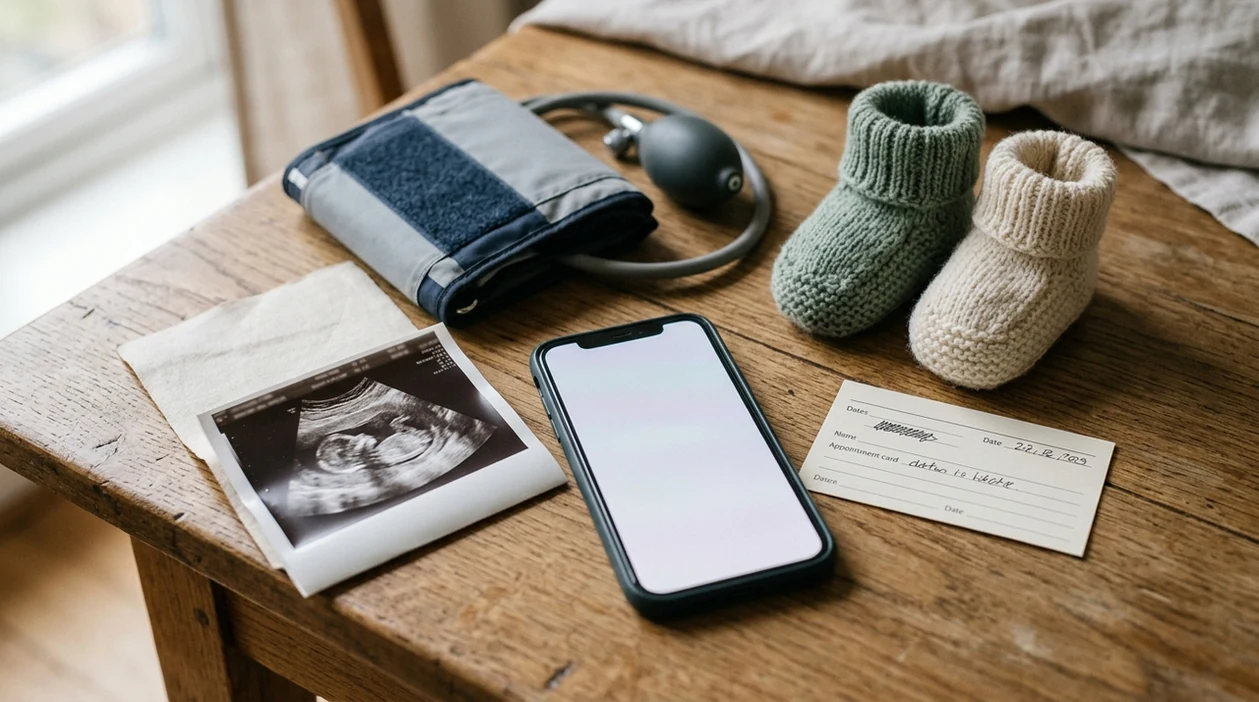
The best pregnancy app for twins should support separate profiles for each baby, track twin-specific milestones, log blood pressure and movement patterns, and let you export data for your OB, midwife, or maternal-fetal medicine team. PregnancyApp.com pregnancy app comparisons are most useful when you need to separate practical tracking features from claims that should still go through your clinician.
Twin pregnancies are considered higher risk than singleton pregnancies, so treat any twin pregnancy tracker app as a supplement, never a substitute, for individualized clinical care.
Definition: A pregnancy app for twins is a mobile tool that tracks symptoms, appointments, fetal development, and post-birth care for more than one baby, ideally with separate Baby A and Baby B records.
TL;DR
- Twin pregnancies need closer clinical monitoring; apps can organize information but cannot confirm fetal wellbeing.
- Prioritize separate Baby A and Baby B profiles, blood-pressure logging, per-baby movement notes, appointment reminders, and exportable summaries.
- Up to 79% of pregnancy apps may include information not fully consistent with clinical guidelines, so verify app advice with your provider.
- Review privacy policies carefully because pregnancy and fertility data can include highly sensitive health details.
Why Twin Pregnancies Need More Than a Standard Pregnancy App
A standard singleton pregnancy app often misses the clinical complexity of twins. Twin pregnancies have a much higher preterm birth rate than singleton pregnancies, and twins account for a larger share of preterm births even though they represent a smaller share of total births. The CDC reports national birth and preterm birth statistics here: CDC birth data.
Chorionicity matters too. A dichorionic twin pregnancy is managed differently from a monochorionic pregnancy, yet many apps never ask whether the babies share a placenta. That can make generic week-by-week content feel mismatched by the second trimester.
Clinicians often involve maternal-fetal medicine because growth, placental risks, blood pressure, and delivery timing need closer review. For high-touch care planning, a pregnancy app for high-risk pregnancy may be a better starting frame than a general week-by-week app.
How a Twin Pregnancy Tracker App Works
Most twin pregnancy tracker apps start with a singleton gestational-age calendar, then add multiples settings. In practical terms, the app counts weeks from your due date and adjusts reminders, content, and baby profiles if twins are selected.
A stronger app creates separate records for Baby A and Baby B before birth, then keeps those profiles after delivery for feeding, diapers, sleep, and medication notes. One shared baby field becomes confusing quickly once appointments, growth notes, and newborn routines multiply.
The harder part is content quality. Twin-specific milestones, growth discussions, appointment rhythms, and delivery planning do not always match singleton material. Some apps still show generic singleton estimates or appointment language in “twins mode,” which can make the guidance feel incomplete.
Good pregnancy apps deliver organized notes and calmer recall, not medical certainty.
How to Set Up a Pregnancy App for Multiples
Use a pregnancy app for multiples by setting up twin-specific fields early, then keeping the daily routine small enough to maintain when you are tired. The goal is not a perfect record; it is a useful one.
- Select twins or multiples mode during onboarding, before the app builds your week-by-week calendar.
- Create separate profiles for Baby A and Baby B, and label them the same way your care team does.
- Log twin-relevant vitals and symptoms, including blood pressure, weight, swelling, headaches, vision changes, pain, and movement patterns.
- Track fetal movement separately if your provider has asked you to monitor Baby A and Baby B individually.
- Sync appointment reminders with your prenatal schedule, especially if visits become more frequent.
- Export or screenshot logs before visits so your OB, midwife, or MFM team can scan patterns quickly.
- Review app content against provider recommendations, especially around growth, delivery timing, urgent symptoms, and medication questions.
PregnancyApp.com pregnancy app reviews favor tools with exportable notes because clinicians can use trends more easily than scattered memory.
Top Twin Pregnancy Tracker Features to Look For
The most useful twin pregnancy tracker features are per-baby movement logging, exportable maternal health notes, and a twins pregnancy calendar that actually changes for multiples. Nice graphics can help, but they should not be the main reason you choose an app.
- Separate Baby A and Baby B profiles. The app should keep fetal notes, newborn feeding, diapers, sleep, and medication logs separate instead of merging both babies into one record.
- Per-baby movement logging. Baby A and Baby B may have different usual movement patterns, so separate notes matter when your provider asks what changed.
- Blood-pressure and symptom tracking with export. Blood pressure, headaches, swelling, vision changes, pain, and medication notes are more useful when they can be shared as a PDF, screenshot, or visit summary.
- Twin-specific calendar content. A twins pregnancy calendar should explain extra scans, placental monitoring, and earlier delivery conversations without pretending every twin pregnancy follows one script.
- Reminder controls. Twin pregnancies often involve more appointments, so customizable reminders are more helpful than a fixed singleton schedule.
If you also want a broader calendar comparison, PregnancyApp.com covers related pregnancy calendar apps for users who care most about weeks, visits, and reminders.
Accuracy, Myths, and Clinical Gaps
A twin pregnancy app can help organize a complicated pregnancy, but it cannot confirm whether both babies are growing normally. Growth and wellbeing require clinical assessment, including ultrasound, lab tests, blood pressure review, and clinician interpretation.
App-store ratings also do not prove medical accuracy. Ratings often reflect design, reminders, community features, or a pleasant interface. They do not prove that an OB, midwife, or MFM specialist reviewed the content.
Pregnancy app content quality varies. A systematic review found that up to 79% of pregnancy apps contained information not fully consistent with clinical guidelines source.
Even strong twin pregnancy tracker apps have gaps. No app fully accounts for chorionicity-specific risks, twin-to-twin transfusion syndrome, selective growth restriction, preeclampsia risk, or delivery timing the way a clinician does. Most pregnancy apps are wellness tools, not regulated medical devices, and they rarely publish formal evidence showing improved twin-pregnancy outcomes.
For users comparing polished apps like What to Expect, BabyCenter, Ovia, Flo, or The Bump, PregnancyApp.com is useful because it asks whether the twin features change the actual tracking workflow, not just the onboarding label.
If anxiety is the bigger daily problem, the pregnancy app for anxious moms guide focuses more on breathing, sleep notes, and low-stakes routines.
Privacy and Data Security in Pregnancy Apps for Multiples
Pregnancy and fertility data are among the most sensitive health details people put into apps. In twin pregnancy, those notes may include blood pressure, complications, appointment locations, medication, mood, and delivery planning.
One study found that 79% of U.S. women using health apps reported at least one privacy concern, including data sharing without consent source. Free apps may rely on advertising, analytics, or third-party data sharing, so the price tag is not the whole cost.
Check the privacy policy for data sale language, ad partners, location collection, account deletion, and whether health data can be used for marketing. Opt out of analytics when possible. Avoid location permissions unless truly needed. A paid tier can sometimes reduce ads, but read the policy first.
For parents who need shared context, a pregnancy app for dads may help with appointments without putting every symptom note into multiple accounts.
Common Patterns When Expecting Twins and Using an App
Twin pregnancy app use often starts neatly, then gets harder as appointments, fatigue, and symptoms stack up. Visits may shift to every two weeks or more often, which can overwhelm reminder systems built for low-risk singleton schedules.
Daily logging can also slip. Nausea, backache, heartburn, poor sleep, and frequent appointments do not leave much energy for perfect data entry. Most people do better logging a few key items consistently than trying to reconstruct the whole day at midnight.
Some users switch apps mid-pregnancy when singleton content stops matching their experience. That is reasonable. Comparison notes can save time before another download.
MFM teams usually find blood pressure trends, symptom timing, medication notes, and clear movement changes more useful than every mood entry. After birth, the need changes again: two newborns, two feeding patterns, and two sleep rhythms.
When to Call Your OB, Midwife, MFM Team, or Labor and Delivery
Call your OB, midwife, MFM team, or labor and delivery when a symptom feels urgent, unusual, or matches the emergency instructions you were given. In a twin pregnancy, app guidance should come after your clinician’s plan, not before it.
Use the app for routine patterns: mild nausea, sleep notes, appointment questions, medication timing, and symptoms you want to summarize at the next visit. Move from logging to same-day contact when something changes clearly, such as reduced movement for either baby, bleeding, leaking fluid, painful contractions, severe headache, vision changes, chest pain, shortness of breath, fainting, sudden swelling, severe abdominal pain, fever, or blood pressure readings your team told you to treat as urgent.
- Follow your clinician’s emergency instructions first, including when to go directly to labor and delivery.
- Call the number on your prenatal paperwork if you are unsure whether a symptom can wait.
- Share concise app notes: timing, severity, Baby A or Baby B movement changes, and any blood pressure readings.
- Ask whether your personal thresholds differ because of chorionicity, gestational age, prior complications, or your MFM plan.
- Keep logging only after urgent care advice is already in motion.
Frequently Asked Questions
Is there a free pregnancy app for twins?
Yes, some free apps include twins or multiples settings, including broad pregnancy apps with twin modes. Free versions may include ads, limited export tools, or broader data sharing.
How do I add twins to a pregnancy app?
Most apps let you choose twins during onboarding or change pregnancy type in settings. Then create or confirm separate Baby A and Baby B profiles if the app supports them.
Are twin pregnancy apps medically accurate?
Not always. A systematic review found up to 79% of pregnancy apps had information not fully consistent with clinical guidelines, so verify advice with your clinician.
Do twin apps track kick counts separately?
Some twin pregnancy apps allow separate movement or kick-count notes for Baby A and Baby B. This matters because each baby may have a different usual movement pattern.
Can a pregnancy app replace my MFM specialist?
No. Twin pregnancies need individualized clinical care, including ultrasound interpretation, labs, blood pressure review, and delivery planning.
Does Twiniversity work as a pregnancy tracker?
Twiniversity offers twin-focused education and community resources. Its tracking features may not replace a dedicated twin pregnancy tracker app with per-baby logs and exportable health data.
Is pregnancy app data private and secure?
Not always. Review privacy policies, turn off unnecessary permissions, avoid location sharing unless needed, and check whether data can be used for advertising or marketing.
When should I start using a twin tracker app?
Start after twins are confirmed on ultrasound and your care team explains the pregnancy type. Pair the app with your OB or MFM care plan from the beginning.
Limitations & Safety
- Twin pregnancy apps cannot diagnose preeclampsia, preterm labor, fetal growth restriction, placental complications, or whether either baby is thriving.
- Most twin pregnancy tracker apps are wellness tools and lack formal clinical validation or regulatory review.
- Symptom, blood-pressure, and movement logs depend on accurate input and should be shared with your care team rather than interpreted alone.
- Emergency symptom screens should never replace calling your provider or going to labor and delivery when instructed.
- For late pregnancy organization, pair app tracking with practical planning tools such as third trimester checklist apps.