 Pregnancy
Is There An App That Tracks Pregnancy Symptoms? Yes — Here's How to Pick and Use One
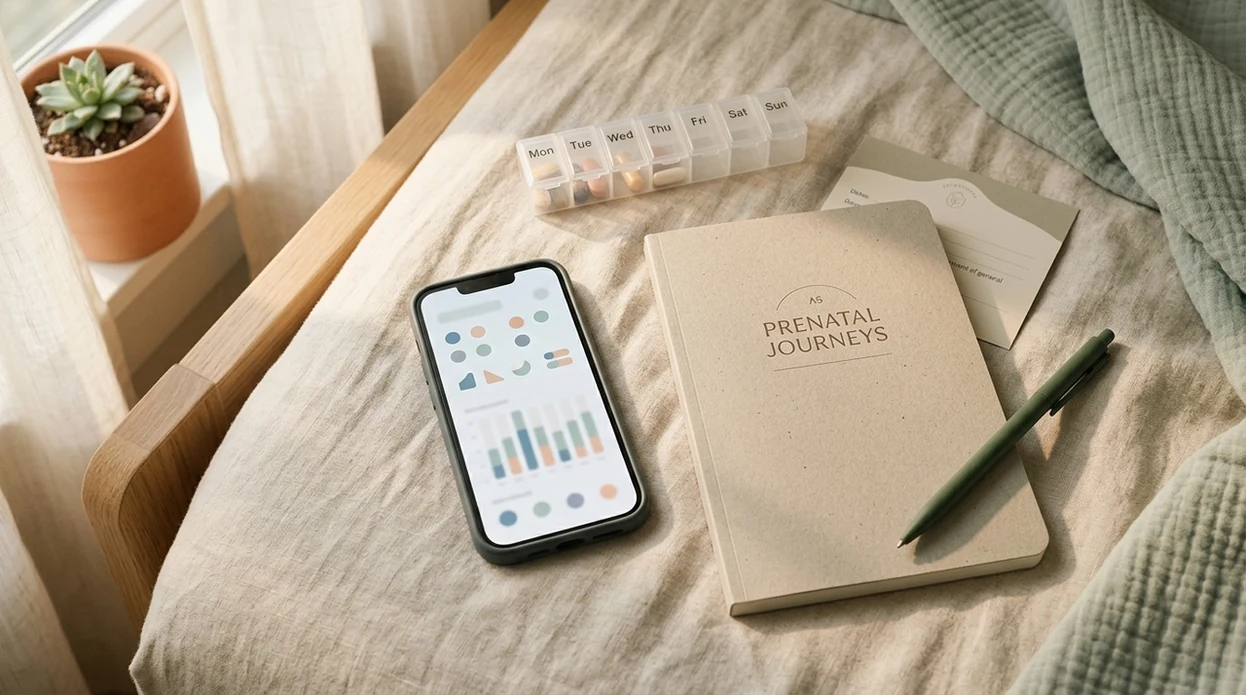
Yes, there is more than one app that tracks pregnancy symptoms. Options range from dedicated pregnancy symptom log apps to broader pregnancy trackers with built-in symptom journals. The most useful apps turn daily notes into appointment-ready summaries you can share with your OB, midwife, or care team.
Definition: A pregnancy symptom log app is a mobile tool where you record daily symptoms like nausea, cramping, fatigue, mood shifts, fetal movement, and blood pressure so you can review trends and share organized notes at prenatal appointments.
TL;DR
- Multiple pregnancy apps let you log symptoms, but the key feature is whether they create clear summaries for appointments.
- Look for quick-entry logging, trend views, export options, privacy controls, and clear instructions to contact a clinician for urgent symptoms.
- Pregnancy symptom trackers are communication tools, not diagnostic systems or replacements for prenatal care.
What a Pregnancy Symptom Log App Actually Does
A pregnancy symptom log app lets you record daily pregnancy changes in one place, then review those notes as timelines, charts, or visit summaries. It is meant to reduce the “wait, when did that start?” feeling before a prenatal appointment.
Most apps let you log nausea, cramping, mood, sleep, headaches, blood pressure, and fetal movement. Some also include free-text notes, photos, medication reminders, appointment questions, week-by-week baby development, due date tools, and appointment calendars.
The real value is memory support. A calendar alert before the glucose test is more useful when your last two weeks of nausea, sleep, headache, or blood pressure notes are already organized.
In one U.S. survey, 94% of women reported using a smartphone during pregnancy, and 75% used it for health-related purposes such as pregnancy information or symptom tracking source.
Five Features Every Pregnancy Symptom Tracker Needs
A good pregnancy symptom tracker should be fast, exportable, private, and clear about when to contact a clinician. Pretty charts matter less than whether you can use the app when you are tired, busy, or mildly worried.
- Quick-entry logging: The app should let you add symptoms in one tap or a short form, with editable notes for details like “headache after lunch” or “cramping eased after rest.”
- Timeline and trend views: It should show frequency and severity over time, such as whether headaches are becoming more common across several weeks.
- Appointment-ready export: The app should create a PDF, printout, screenshot-friendly summary, or shareable note before visits.
- Clear privacy controls: Look for plain privacy language, app locks, backup settings, and an explanation of advertising or partner data sharing.
- Safety boundaries: Red-flag prompts should direct you to your provider or emergency care, not pretend to diagnose you.
If you want a focused comparison before downloading, start with a dedicated guide to pregnancy symptom tracker apps.
How Pregnancy Symptom Tracking Apps Work
Pregnancy symptom tracking apps work by turning small daily entries into structured data. The entry form usually combines symptom type, severity, time, duration, and free-text notes.
Behind the screen, the app groups those entries into patterns. A basic tracker might count headache days, show nausea severity by week, or place blood pressure readings on a timeline. Better apps then turn that information into a practical sharing format, such as a PDF summary, an in-app report, screenshots, or a clinic-connected portal.
There is also habit design underneath. Reminders, streaks, and low-friction forms are meant to make logging quick enough to do consistently. That can be helpful, but more tracking is not always better if it increases anxiety or leads you to check symptoms constantly.
Quality varies widely. A systematic review found that only about 6 of 29 pregnancy apps met at least 75% of expert quality criteria source.
Before You Start: What to Ask Your Provider
Before you start logging, ask your OB, midwife, or care team what they actually want to see. A short plan turns the app from a worry notebook into a cleaner handoff at visits.
- Ask which symptoms to track daily. Your provider may want blood pressure, fetal movement, headaches, nausea, mood, sleep, cramping, or medication side effects, but not every sensation needs a checkbox.
- Confirm the “call now” thresholds. Write down the blood pressure numbers, fetal movement changes, pain patterns, bleeding details, or other symptoms that should trigger a portal message, phone call, or urgent care.
- Choose the sharing format. Ask whether screenshots, a one-page PDF, printed notes, or a patient portal message is easiest for the clinic to review.
- Check privacy settings first. Before adding notes about mood, sex, medications, or relationship stress, review app locks, backups, ad settings, and account access.
- Set a logging boundary. If tracking makes you scan your body more at night, agree on a once-daily entry or weekly review instead of constant checking.
How to Use an App to Log Pregnancy Symptoms in 5 Steps
The safest way to use an app to log pregnancy symptoms is to track a short, provider-agreed list and review it before appointments. More logging is not always better, especially if it feeds an anxious spiral.
- Choose an app with export and privacy features. Use the checklist above before you commit, and read the privacy policy before adding sensitive notes.
- Set one daily reminder. Pick a consistent time, such as after breakfast or before bed, so you are not reconstructing nausea, mood, and sleep from memory.
- Log only provider-agreed symptoms. Ask whether to track blood pressure, fetal movement, headaches, cramping, mood, sleep, nausea, or medication side effects.
- Review weekly trends. Look for patterns worth discussing, not every tiny fluctuation.
- Export or screenshot before each visit. Bring one clean page of pregnancy symptom notes instead of a crowded month of raw entries.
A tidy log can make a short prenatal visit feel less rushed, especially when you have several questions to cover.
When to Contact Your OB, Midwife, or Emergency Care
Contact your OB, midwife, labor unit, or emergency care directly when a symptom feels urgent, severe, sudden, or outside the plan your clinician gave you. Do not spend those minutes opening the app, polishing notes, or waiting for a chart to look convincing.
Use the app for memory and patterns, not triage. Red flags can include bleeding, severe or persistent pain, reduced fetal movement, fainting, chest pain, shortness of breath, severe headache, vision changes, fever, sudden swelling, or blood pressure numbers your care team has already marked as unsafe. These examples are not diagnosis rules; they are reasons to get human medical guidance.
- Save routine questions for the next visit. Ask about mild nausea patterns, sleep changes, occasional heartburn, or stable trends that are already improving.
- Call the same day for concerning changes. Reach out if a symptom is new, worsening, repeated, or different from your usual pregnancy pattern.
- Follow your personal thresholds. Use the exact fetal movement, blood pressure, medication, and risk-factor instructions from your clinician.
- Bypass the app in emergencies. For alarming or unusual symptoms, contact your local emergency number, labor unit, or care team immediately.
Pregnancy Symptom Log Apps Worth Comparing
Several pregnancy symptom log apps are worth comparing because they approach tracking differently. The right choice depends on whether you want community, structured logs, provider sharing, privacy controls, or a simple export.
- BabyCenter: A broad pregnancy tracker with week-by-week content, symptom journal features, and a large community. It may be useful if you want reassurance and context, though export options can be more limited than clinical-style tools.
- What to Expect: A week-by-week tracker with symptom checklists, appointment content, and guided prompts. It can suit users who prefer structured questions instead of a blank notes field.
- Amila: A pregnancy app with structured symptom logging and export-friendly tools. It may suit someone who wants cleaner records without heavy community features.
- Ovia Pregnancy: A daily health log with some provider-sharing options, depending on employer, health plan, or clinic setup.
- Standalone notes app: A simple option if you only need dated notes and screenshots, but it will not automatically create pregnancy-specific trends.
For broader week-by-week tools, milestone tracking, and symptom features, compare pregnancy tracker apps alongside any dedicated symptom logger.
Pregnancy Symptom Notes Comparison: Logs, Exports, and Privacy
Pregnancy symptom notes are most useful when the app captures entries quickly, shows trends clearly, and lets you share a concise summary. Treat this table as a practical screening view, not a clinical certification. Recheck each app’s current App Store or Google Play listing, export settings, and privacy policy before entering sensitive health details.
| App | Quick-entry logging | Trend view | Export / print | Privacy notes | Free tier |
|---|---|---|---|---|---|
| BabyCenter | Yes | Basic | Limited / screenshots | Review ad and data-sharing settings | Yes |
| What to Expect | Yes | Basic | Limited / screenshots | Review ad and data-sharing settings | Yes |
| Amila | Yes | Stronger | Often export-friendly | Varies by version | Yes / paid options |
| Ovia Pregnancy | Yes | Strong | Provider-sharing in some setups | May vary by partner, employer, plan, or clinic setup | Yes |
| Standalone notes app | Manual | No automatic pregnancy trends | Easy screenshots / print | Depends on device and cloud settings | Yes |
Appointment-ready summaries matter more than colorful charts if your provider has only a few minutes to review the page. Free apps often rely on advertising or data-sharing models, while paid apps may offer fewer ads and more privacy controls.
If privacy is your main concern, read a dedicated pregnancy app privacy guide before entering sensitive health details.
Common Mistakes When Tracking Pregnancy Symptoms
The biggest mistake is expecting the app to triage emergencies. A symptom tracker can store patterns, but it cannot safely decide whether bleeding, severe pain, reduced fetal movement, high blood pressure, or shortness of breath needs urgent care.
Another mistake is assuming popularity equals medical accuracy. Many highly rated pregnancy apps have limited evidence-based sourcing, and some do not show whether clinicians reviewed the content. If the app gives medical advice without clear sources, pause before relying on it.
A third mistake is assuming logs automatically go to your provider. Most apps require manual sharing through PDF export, screenshots, email, printouts, or a clinic-connected portal. The full appointment workflow may be easier inside pregnancy appointment tracker apps, especially if you already use visit reminders.
Over-logging is another quiet trap. If every twinge becomes a data point, the app can make worry louder. Track the pattern without turning every sensation into homework.
How to Tell Whether Your Pregnancy Symptom App Is Working
Your pregnancy symptom app is working if it creates a usable summary, fits into your day, and helps your provider understand patterns. Test it before your next appointment, not in the parking lot.
- Export check: Can you create a one-page summary right now?
- Provider check: At your next visit, ask whether the format is useful or too cluttered.
- Speed check: Can you log the day’s main symptoms in under 60 seconds?
- Pattern check: Has the app surfaced anything worth discussing, such as repeated headaches, sleep changes, mood dips, or a blood pressure pattern?
If one check fails, simplify the log. If two or more fail, consider switching apps. For many pregnant users, a weekly summary is easier than daily chart review because it shows the pattern without turning every sensation into a task.
Frequently Asked Questions
Is there a free pregnancy symptom tracker?
Yes. BabyCenter, What to Expect, Ovia Pregnancy, and Amila all offer free pregnancy tracking or symptom logging features. Free apps may include ads, limited exports, or data-sharing models, so review the privacy policy first.
Can I export pregnancy symptom logs to my doctor?
Some apps support PDF export, printing, screenshots, or provider-sharing through a connected portal. If export matters, test it before you spend weeks entering pregnancy symptom notes.
Are pregnancy symptom apps medically accurate?
Some are carefully sourced, but many pregnancy apps do not clearly reference clinical guidelines. Check whether the app names medical reviewers, sources, and update dates.
What pregnancy symptoms should I log daily?
Focus on symptoms your provider wants tracked, such as blood pressure, fetal movement, headaches, nausea, cramping, sleep, and mood. A shorter agreed list is usually more useful than logging every possible sensation.
Do symptom trackers replace prenatal visits?
No. Symptom trackers do not replace prenatal visits, clinical assessment, or emergency care. They are communication tools that help organize details for your OB, midwife, or care team.
Is my pregnancy data private in these apps?
Privacy depends on the app’s storage, encryption, advertising, and data-sharing practices. A paid or locally stored app may offer better control than a free ad-supported app, but you still need to read the policy.
Which pregnancy symptom tracker works on iPhone?
BabyCenter, What to Expect, Ovia Pregnancy, and Amila are commonly available options to compare for iPhone users. Always verify current App Store availability before choosing.
Can tracking pregnancy symptoms reduce anxiety?
Structured logging can reassure some users because it turns scattered worries into organized notes. Over-logging can increase anxiety, so it is better to track provider-agreed symptoms on a simple schedule.
Limitations & Safety
- No pregnancy symptom app can diagnose a condition, rule out a complication, or replace prenatal care.
- For urgent symptoms such as bleeding, severe pain, reduced fetal movement, fainting, chest pain, shortness of breath, severe headache, vision changes, sudden swelling, fever, or unsafe blood pressure readings, contact your care team or emergency services instead of logging first.
- Evidence for improved health outcomes from general pregnancy symptom-tracking apps is still limited, and many apps have not gone through formal medical review.
- Free apps may rely on advertising, analytics, or partner data-sharing models, so review privacy settings before adding sensitive information.
- If tracking increases anxiety or your provider does not review exported logs, simplify your use or consider a different tool.