 Pregnancy
How To Count Baby Kicks With Phone Apps Safely
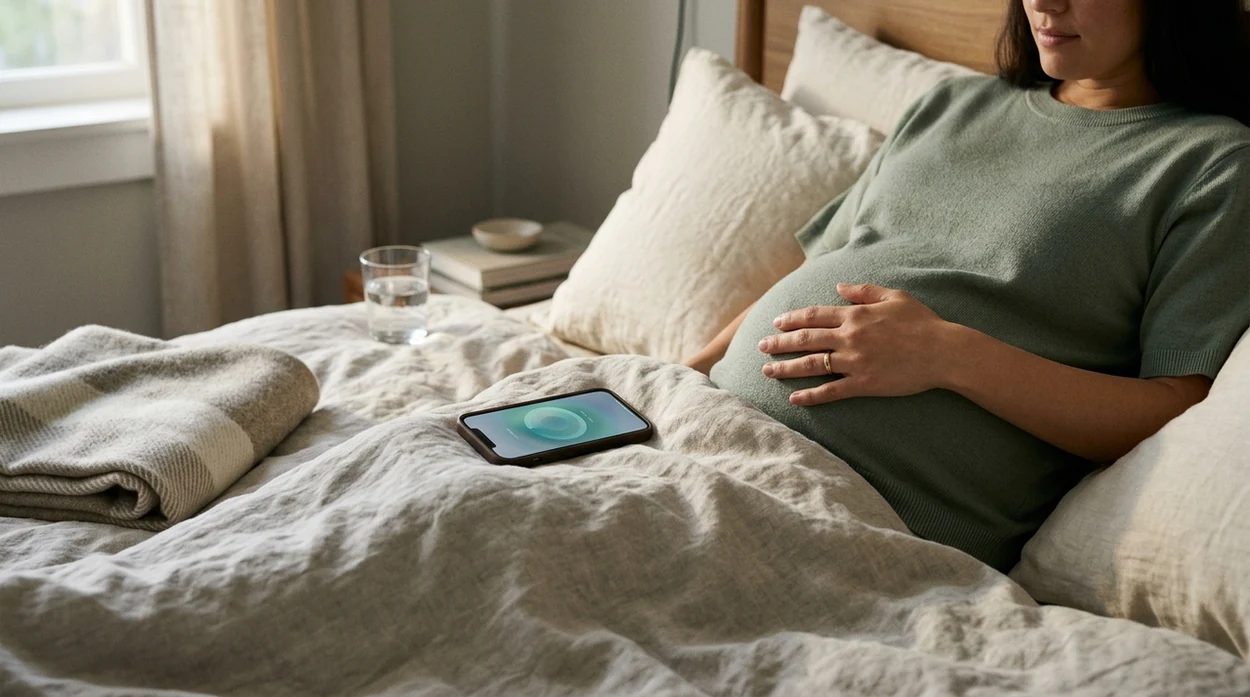
To count baby kicks with a phone app, open a kick-counting app after about 28 weeks, start a timed session when your baby is usually active, tap once for each movement until you reach 10, and compare several days of logs with your baby’s normal pattern. Call your clinician promptly if movements slow, weaken, stop, or feel different.
Definition: Kick counting with a phone is the practice of using a mobile app to log each fetal movement you feel—such as kicks, rolls, jabs, swishes, and flutters—during a timed session so you can notice changes from your baby’s usual pattern.
TL;DR
- Most clinicians recommend starting formal kick counting around 28 weeks, unless your care team gives different instructions.
- Use a reputable phone app as a personal tracking tool, not as a medical device or diagnosis tool.
- Many clinicians use “10 movements within 2 hours” as a reassuring benchmark, but your baby’s individual baseline matters most.
- Call your clinician or maternity triage promptly if movements are reduced, weaker, absent, or unusual—even if the app does not show an alert.
- Phone kick-count logs can support prenatal conversations, but they do not replace ultrasound, fetal monitoring, non-stress tests, or clinical evaluation.
What Kick Counting With a Phone Actually Means
Phone-based kick counting records what you feel and enter. The app stores your taps, times each session, and may show how long it takes to reach a target number of movements, often 10.
The phone does not measure your baby directly. It cannot check oxygen level, placenta function, or fetal heart rate. ACOG notes that 10 movements within 2 hours is generally considered reassuring for many pregnancies, but clinicians may tailor advice based on your situation: https://www.acog.org/womens-health/faqs/special-tests-for-monitoring-fetal-well-being.
A good count baby kicks app gives simple logging, clear reminders, and safety guidance without implying that the app can diagnose fetal well-being.
Evidence and Safety Facts About Tracking Fetal Movement
- The most common medically supported approach is timing how long it takes to feel 10 fetal movements, then comparing that timing with your baby’s usual pattern.
- In the AFFIRM stepped-wedge trial, a fetal-movement awareness package increased triage visits for reduced movement but did not significantly lower stillbirth rates: https://www.thelancet.com/journals/lancet/article/PIIS0140-6736(18)31543-5/fulltext.
- A Cochrane review found insufficient trial evidence to prove that routine fetal-movement counting prevents stillbirth, so phone logs should be treated as awareness aids, not screening tests: https://www.cochranelibrary.com/cdsr/doi/10.1002/14651858.CD004909.pub3/full.
- Norwegian campaign data reported a reduction in late stillbirth after fetal-movement information and clinical guidelines were introduced, but this type of evidence does not prove that an app alone prevents stillbirth: https://bmcpregnancychildbirth.biomedcentral.com/articles/10.1186/1471-2393-9-32.
- Your baby’s personal baseline matters more than a universal number, especially if movements feel weaker, slower, or unusually quiet.
If you are comparing tools, our baby kick counter apps guide reviews simple counters, reminder options, and privacy basics.
How Phone-Based Kick Counting Works
Most kick-counting apps use tap-to-log input. You start a session, tap once for each kick, roll, jab, swish, or flutter, and the app creates a timestamped record. Many apps calculate the elapsed time from session start to the 10th movement.
Over several days, those sessions help you learn your baby’s baseline. That means the app shows what is normal for your baby, not what is average for every pregnancy.
Reminders and push notifications can help you count at a consistent time, such as after a meal or in the evening, but the app is only organizing your observations. It is not performing fetal monitoring.
Before You Start Counting Baby Kicks With Your Phone
Before your first session, install a reputable, privacy-conscious app that makes counting simple and clearly explains when to call your clinician. If you need a no-cost option, a free baby kick counter app can be enough if it logs sessions clearly.
- Confirm timing: Most people start around 28 weeks, unless their clinician recommends a different plan.
- Choose a consistent time: Count when your baby is usually active, often after meals or in the evening.
- Get comfortable: Sit or lie in a position where you can focus on movement. Many clinicians suggest lying on your left side, but comfort matters.
- Save your triage number: Put your maternity triage line or prenatal office number in your phone before you need it.
- Have a backup: Keep paper, a notes app, or another simple tally method available in case your phone dies or the app fails.
How To Use a Count Baby Kicks App Step by Step
1. Start a Timed Session
- Open the app when your baby is usually active.
- Start a new timed kick-count session.
- Sit or lie comfortably and reduce distractions if possible.
2. Log Each Movement Until You Reach 10
- Tap the screen once for each kick, roll, jab, swish, or flutter.
- Do not count hiccups unless your clinician specifically tells you to.
- Stop the session when you reach 10 movements.
- Note the elapsed time and anything unusual about the movements.
3. Review Your Pattern Over Several Days
- Compare today’s session with your usual timing and activity pattern.
- Look for meaningful changes, not tiny day-to-day variation.
- Share trends or screenshots at prenatal visits if your clinician finds them helpful.
4. Call When the Pattern Changes
- Call your clinician promptly if movements slow, weaken, stop, or feel different from normal.
- Use the app log as supporting information, not as permission to delay care.
If you want to test options before kick counting becomes part of your routine, you can download baby kick counter app choices before 28 weeks and see which layout is easiest to use.
When To Call Your Clinician About Fetal Movement Changes
Call your clinician or maternity triage line promptly when fetal movements are reduced, weaker, absent, or unusual for your baby. Do not wait for an app to flash a warning if you already feel concerned.
- Call your maternity triage line, prenatal care office, or the contact number your clinician gave you.
- Explain your baby’s usual pattern, including the typical active time of day and how quickly you normally reach 10 movements.
- Share today’s details: start time, position, elapsed time, number of movements, and what felt different.
- Follow your clinician’s instructions, even if the app suggests the count looks normal.
- If you cannot reach your usual team, seek urgent care or go to the recommended labor and delivery unit.
Common Myths About Counting Kicks With a Phone App
Myth: Babies naturally move less near the end of pregnancy
Movement may feel different as pregnancy progresses because the baby has less room for large motions, but the usual pattern should not suddenly drop off. Reduced movement should be reported.
Myth: Reaching 10 movements in 2 hours always means everything is fine
Ten movements within 2 hours can be reassuring for many pregnancies, but a pattern that feels unusual for your baby still deserves a call to your clinician.
Myth: A kick-counting app can diagnose fetal distress
A phone app cannot listen to the heartbeat, evaluate the placenta, or check oxygen status. It can only record the movements you enter. For more safety details, see our kick counter app safety guide.
Myth: Sound, music, or vibration proves the baby is okay
A response to stimulation is not the same as a reassuring clinical assessment. Ask your clinician what to do if you are worried about reduced movement.
Common Mistakes When You Track Fetal Movement by Phone
- Counting at random times every day: A morning session may not compare well with a late-night session. Consistency makes patterns easier to interpret.
- Ignoring your concern because the app looks normal: Apps are not triage nurses. If movement feels wrong, call.
- Over-focusing on tiny variation: Small changes from day to day can happen. The bigger concern is a clear reduction, weakening, stopping, or off-pattern change.
- Forgetting a backup method: Phones die, apps crash, and updates can interrupt logging. Paper or a notes app can still work.
- Not sharing useful trends: If your clinician asks about movement, screenshots or session summaries can help explain what changed.
How To Check Whether Your Kick-Count App Data Is Reliable
Your app data is only as reliable as the way you enter it. Use a simple verification routine to reduce missed or duplicate taps.
- Once a week, compare an app session with a manual tally on paper or in a notes app.
- Check that the app records start time, end time, total movements, and elapsed time clearly.
- Make sure you are tapping once per movement, not once per cluster unless that is how your clinician told you to count.
- At prenatal visits, show trend screens or screenshots if your clinician wants to review movement patterns.
- If the app and your instinct disagree, treat your concern as important and call your clinician.
Tools such as PregnancyApp.com resources, Count the Kicks, and Ovia can help organize notes, but reporting a concerning change to your care team is the key safety step.
Frequently Asked Questions
Is 10 kicks in 2 minutes normal?
Yes, 10 movements in 2 minutes can be normal if that fits your baby’s usual pattern. The larger pattern matters more than the speed of one session.
When should I start counting kicks?
Most clinicians recommend starting formal kick counting around 28 weeks of pregnancy. Follow your clinician’s timing if you have extra monitoring needs or a different care plan.
Are free kick counter apps accurate?
Free apps can be useful if you tap consistently and the app records sessions clearly. Accuracy depends mainly on your input and the app’s ability to store the session correctly.
What counts as a kick?
Kicks, rolls, jabs, swishes, and flutters all count as fetal movements. Hiccups are usually not counted unless your clinician tells you otherwise.
What is the best time of day to count kicks?
Choose a time when your baby is typically active, often after meals or in the evening. Use the same general time daily when possible.
Do kicks decrease at 38 weeks?
Babies should not simply move less because birth is near. Movements may feel different, but the overall pattern should remain familiar. Call your clinician if movement is reduced, weaker, absent, or unusual.
What should I do if my kick-counting app does not flag a warning?
Call your clinician anyway if movements feel slower, weaker, absent, or different from your baseline. Do not wait for an app alert.
Can I count kicks without an app?
Yes. Pen and paper can work well. Write the start time, mark each movement, and record the time you reach 10 movements.
Should I show kick data to my doctor or midwife?
Yes, if you have concerns or your clinician asks about movement patterns. Screenshots or trend summaries can help explain what is normal for your baby and what changed.
Limitations & Safety
- Phone kick counting depends on what you notice and enter; fatigue, distraction, position, and daily activity can affect counts.
- There is no single kick-counting method or threshold that fits every pregnancy, so follow your clinician’s instructions over app guidance.
- A kick-counting app cannot detect all complications or replace ultrasound, fetal monitoring, non-stress tests, triage calls, or in-person evaluation.
- Daily tracking can increase anxiety for some people; ask your clinician how often to count if logging feels overwhelming.
- Not all apps are clinically vetted or privacy-conscious, so review permissions before saving pregnancy data.