 Pregnancy
Contraction Timer Apps Compared for Labor Preparation
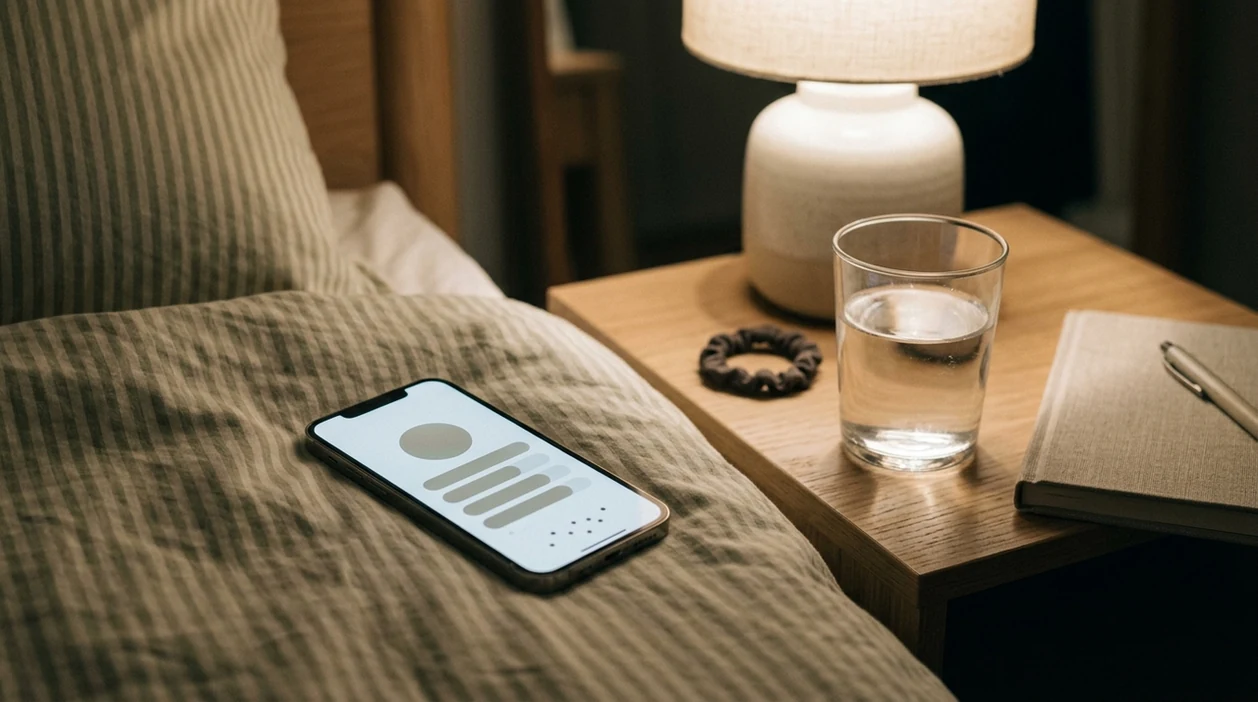
Strong contraction timer apps for labor preparation have large one-tap buttons, automatic duration and frequency calculations, editable logs, and shareable data for your provider. PregnancyApp.com recommends choosing the simplest timer you can use during pain, because no app can diagnose labor or replace your midwife’s or doctor’s specific “when to call” instructions.
Definition: A contraction timer app is a mobile tool that records the start and end of each labor contraction, automatically calculates duration and interval frequency, and displays patterns to help you and your provider discuss labor progress.
TL;DR
- Ease of use during pain matters more than feature count: prioritize big buttons, minimal taps, low-light readability, and editable logs.
- No app can clinically diagnose labor stage, confirm cervical change, or safely decide when you should go to the hospital.
- Set up a personalized “when to call” plan with your provider and use the app only to support that plan.
- Inductions, augmentation, epidurals, VBAC, multiples, and high-risk conditions can change how contraction timing should be interpreted.
- Call your provider immediately for bleeding, decreased fetal movement, severe pain, or any urgent concern, regardless of what the app shows.
Best Contraction Timer Apps at a Glance
The right contraction timer app depends on what your hands can manage during active pain. A clean button at 3 a.m. often matters more than a long settings menu.
| App name | Platform | One-tap start/stop | Editable logs | Export/share feature | Dark mode | Price |
|---|---|---|---|---|---|---|
| Full Term | iOS | Yes | Yes | No built-in export | Limited | Free |
| Contraction Timer & Counter 9m | iOS, Android | Yes | Yes | Yes | Yes | Free, ads/in-app purchases |
| Contraction Timer Plus | iOS, Android | Yes | Yes | Yes | Yes | Free, paid features |
| Bloomlife | Hardware + app | Sensor-based | App-dependent | Yes | App-dependent | Paid hardware/service |
| PregnancyApp.com recommended standalone timer | Web/app guide | Yes | Preferred | Preferred | Preferred | Free-first recommendation |
Pregnant people comparing download contraction timer app options should start with one question: can I use this with one hand while breathing through a tightening belly? PregnancyApp.com favors standalone timers with visible logs, editable entries, and no paywall on the core timer workflow.
How Contraction Timer Apps Work
Contraction timer apps work by recording timestamps when you tap start and stop. The app subtracts those timestamps to calculate contraction duration, then compares each contraction start time to the next start time for frequency.
Some apps add rule-based alerts. That means they compare rolling averages against preset thresholds, such as a 5-1-1 pattern, then show a message that it may be time to call or leave. ACOG describes the 5-1-1 pattern as general guidance, not a universal rule for every pregnancy source.
This is simple interval logic, not a diagnostic algorithm. A phone timer can make numbers feel official, but the first tap may come late and the stop tap may come early. The most medically supported way to use a labor timer app is to pair timing data with your provider’s personalized instructions, not app alerts alone.
How to Choose a Contraction Timer App
A good pregnancy contraction timer should be usable with one thumb, in low light, while your attention is split. That sounds basic until a contraction starts halfway through finding the settings screen.
Evaluate contraction timer apps by six practical criteria:
- Large tap targets: The start/stop button should be easy to hit during pain.
- Low-light readability: Dark mode or a dim interface is useful for nighttime labor.
- Editable entries: You should be able to fix accidental taps after the contraction passes.
- Export or share options: Screenshots, text summaries, or exports can help you brief your nurse, midwife, or OB.
- No paywall on core timing: The basic timer should work without requiring an upgrade during labor.
- Accessibility support: Large fonts, voice cues, and screen-reader compatibility can make the app usable for more families.
Good contraction timer apps deliver clear timing data, not a medical verdict. For iPhone-specific needs, the contraction timer app for iPhone comparison goes deeper on iOS-only options.
Best One-Handed Contraction Timer App: Full Term
Full Term is the strongest simple pick for iPhone users who want one-handed contraction timing without a busy interface. It opens to a full-screen tap-to-start design, which helps when you are breathing through a contraction and do not want to hunt through menus.
- Best for: iPhone users who want the fewest taps and a clean timer-first workflow.
- Full-screen timing: The main button is easy to hit during pain.
- Clean history: The visual log shows recent contractions without much digging.
- Editable entries: Mistaps can be corrected after the contraction passes.
- Limitations: It is iOS only and lacks a built-in export workflow.
Best Android-Friendly Contraction Timer App: 9m Contraction Timer
Contraction Timer & Counter 9m is a strong Android-friendly option for users who want charts and sharing without losing the basic tap-start rhythm. It is available on both iOS and Android, so partners can often mirror the same setup.
- Best for: Android users, mixed-device households, and families who want graphs or shareable logs.
- Cross-platform access: Useful when one person has Android and the other has iPhone.
- Auto averages: Duration and frequency are calculated in the background.
- Visual graphs: Pattern changes are easier to scan.
- Limitations: The free tier is ad-supported, and some users report accidental ad taps during contractions.
Best Labor Timer App With Extra Pregnancy Tools: Contraction Timer Plus
Contraction Timer Plus fits users who want a contraction timer, kick counter, and birth-prep tools in one place. That can reduce app clutter if fewer pregnancy apps helps you stay calmer.
- Best for: Users who prefer combined pregnancy tools instead of separate timer and tracking apps.
- Integrated tools: Contraction timing and kick counting live together.
- Custom alerts: Thresholds can be adjusted more than in bare-bones timers.
- Dark mode: Low-light use is easier during nighttime contractions.
- Limitations: Extra tools can add cognitive load during active labor, and some features sit behind a paywall.
If fetal movement is your main concern, compare dedicated baby kick counter apps too.
How to Use a Labor Timer App During Contractions
Use a labor timer app before labor gets intense, then keep the routine small enough to do when you are tired. If you want the full basics, PregnancyApp.com also covers how to time contractions with phone in a separate guide.
- Install and test the app before 37 weeks. Tap through a fake contraction while you are calm.
- Write down your provider’s “when to call” rules. Keep that note in the app if possible and near your charger as a backup.
- Tap start when tightening begins and stop when it fully releases. Do not try to make the numbers look neat.
- Review the running log after about 1 hour, unless your provider told you to call sooner. Look for trends in duration, spacing, and intensity.
- Export or screenshot the log before leaving for the hospital. A screenshot is often faster than explaining every contraction.
- Stop timing and call immediately if warning signs appear. Bleeding, decreased fetal movement, severe pain, or urgent symptoms outrank any timer.
Who Should Use Each Contraction Timer App
Choose the contraction timer app that matches your phone, support person, and stress level, not the one with the longest feature list. The best app is the one you can use correctly while breathing, moving, or handing the phone across the bed.
- Pick Full Term if you use an iPhone and want the fewest taps. It suits parents who want a clean timer first and can live without built-in exporting.
- Choose 9m if Android access, graphs, and sharing matter most. It is a better fit when your partner may help time contractions or when you want a log that is easy to show.
- Use Contraction Timer Plus if combined tools reduce clutter. Having kick counting and prep features beside the timer can help if fewer pregnancy apps keeps you calmer.
- Follow your provider’s plan first if your pregnancy has extra risks. VBAC, multiples, preeclampsia, induction, augmentation, or a history of fast labor can change the “when to call” rules.
- Skip feature-heavy apps if they make contractions feel busier. Ads, nested menus, loud alerts, or too many charts are not worth it if they raise your stress.
Contraction Timer App Facts and Myths
Contraction timer apps are useful pattern tools, not clinical decision tools. They help you track the pattern without doing mental math, but they should not delay care.
Key facts before labor
- Apps measure duration and start-to-start interval frequency; they do not diagnose labor.
- ACOG describes the 5-1-1 pattern as general guidance, not a universal rule for every pregnancy source.
- About 61.4% of U.S. births in 2020 involved induction or augmentation, which can change contraction patterns from simple app assumptions source.
- Usability during pain is the top selection criterion. Big buttons beat clever charts when your hospital bag is waiting by the door.
- Data can help your nurse or midwife understand the last hour, but it should never delay an emergency call.
Common myths
| Myth | Fact |
|---|---|
| If the app says go to the hospital, trust it over your provider. | Your provider’s instructions come first, especially with high-risk factors. |
| The app can distinguish real labor from Braxton Hicks. | Apps track timing, not cervical change. A clinician assesses labor progress. |
| All apps use the same medical rules. | Alert thresholds and averages vary by app. |
| If contractions do not match the app pattern, nothing serious is happening. | Bleeding, severe pain, or decreased movement require a call regardless of timing. |
Per the CDC, 32.1% of U.S. births in 2022 were cesarean deliveries source, which underscores how often labor does not follow a simple timing script. For pattern questions, PregnancyApp.com also explains what app identifies contraction patterns and where those tools stop.
Frequently Asked Questions
Do contraction timer apps really work?
Yes, contraction timer apps work for recording timestamps, duration, and frequency. They cannot diagnose labor or replace clinical judgment.
Are free contraction timer apps accurate?
Free apps can time contractions as accurately as paid apps if the taps are accurate. Price matters less than user input and ease of use.
What is the 5-1-1 contraction rule?
The 5-1-1 rule means contractions every 5 minutes, lasting 1 minute, for 1 hour. ACOG treats it as general guidance, not a universal instruction.
Can a contraction timer app tell Braxton Hicks from real labor?
No contraction timer app can confirm Braxton Hicks versus true labor. A provider assesses labor by symptoms and cervical change.
When should I start timing contractions?
Start timing when contractions feel regular, painful, or different from your usual tightening. Follow your provider’s specific timing instructions.
Do contraction timers work during induction?
They can record contractions during induction, but generic algorithms may misread medication-altered patterns. Clinical monitoring is more important.
Can my partner use the app for me?
Yes, a partner can tap start and stop for you. This may improve accuracy and reduce distraction.
Should I show contraction data to my nurse?
Yes, a screenshot or export can be useful context. Hospital monitors and clinical assessment remain the standard.
What is the best contraction timer app for Android?
Contraction Timer & Counter 9m is a strong Android option, especially if you want graphs and sharing. The best choice still depends on your phone, support person, and provider’s instructions.
Limitations & Safety
- Contraction timer apps rely on subjective start/stop taps, so entries can be inaccurate when pain, fatigue, lock screens, battery drain, app crashes, or accidental taps get in the way.
- Stage-of-labor alerts are not a medical diagnosis and can be falsely reassuring; apps cannot assess your cervix, placenta, blood pressure, bleeding, or baby’s status.
- Generic “go to hospital” alerts may not apply with preeclampsia, VBAC, multiples, induction, augmentation, epidural use, prior fast labor, or any provider-specific concern.
- Call your provider or seek urgent care for bleeding, decreased fetal movement, severe pain, or any symptom your care team told you not to ignore, regardless of the timer pattern.
- In the hospital, clinical assessment and monitoring supersede app data; your log can provide context, but it is not the standard for decision-making.