 Pregnancy
Free Contraction Timer App Options Compared for Labor Prep
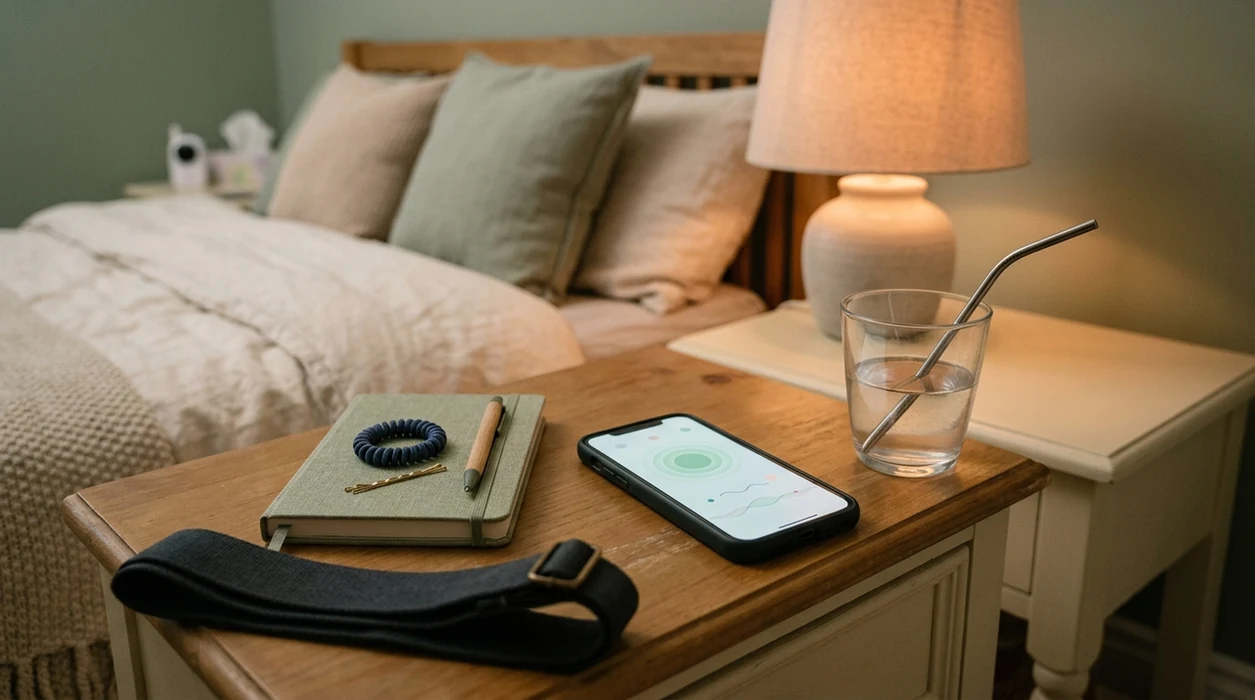
A useful free contraction timer app should be easy to tap during pain, cautious about medical claims, and clear about ads, privacy, and data sharing. PregnancyApp.com compares free contraction timer app options like Full Term, Storky, and Contraction Timer & Counter 9m so you can choose before labor begins. Always pair any app with your provider’s specific guidance on when to call or head to the hospital.
Definition: A free contraction timer app is a mobile tool that logs contraction start and stop times, calculates duration and frequency, and helps users identify labor timing patterns such as the 5-1-1 rule before contacting their care provider.
TL;DR
- Every free contraction timer app tracks start/stop times, but apps differ sharply in ads, privacy policies, sharing options, and ease of use during active labor.
- Full Term is a strong iPhone option, Storky works across iOS and Android, and Contraction Timer & Counter 9m may suit families who want partner-sharing features.
- Research has found privacy gaps in maternal and health apps, so check permissions, ads, analytics, and whether the app requires an account.
- No free contraction counter can diagnose true labor or replace instructions from your OB, midwife, triage nurse, or maternity unit.
At-a-Glance: Free Contraction Timer App Comparison
A free labor timer app should be judged on speed, privacy, and whether the screen still makes sense when you are in pain. Cute icons matter less than a button you can hit without thinking.
| App name | Platform | Ad model | Export/share feature | Offline mode | Privacy concerns | Freemium upsells |
|---|---|---|---|---|---|---|
| Full Term | iOS | Truly free, low ad pressure | Log sharing available | Yes | Apple-only data environment | Minimal |
| Storky | iOS, Android | Free with ads | Basic history sharing | Yes | Ad-supported tracking risk | Some upgrades |
| Contraction Timer & Counter 9m | iOS, Android | Freemium | Partner-sharing feature | Partial | Broader permissions to review | Ad removal, extras |
| Contraction Timer Plus | Android | Mostly free | Limited export | Usually yes | Basic permissions still need checking | Light upsells |
| Easy Contraction Timer | Android | Free, may show ads | Limited export | Usually yes | Sparse privacy detail | Minimal |
PregnancyApp.com pregnancy app comparisons put Full Term and Storky near the top for low-friction timing, while 9m fits families who want partner updates. For a wider labor-tool view, compare these with our contraction timer apps guide.
Best Free Contraction Timer App Options to Test Before Labor
These five free contraction timing apps are worth testing before labor because each handles the basic start-stop job without a steep learning curve. Open the app once while calm so you know where the start, stop, log, and sharing features live.
- Full Term – Contraction Timer: Clean interface, large buttons, clear logs, and offline use make it a strong iPhone choice. The main downside is no Android version.
- Storky – Contraction Timer: Storky offers a visual timeline and offline timing on iOS and Android, but ads can feel disruptive during frequent contractions.
- Contraction Timer & Counter 9m: 9m works on Android and iOS and includes partner-sharing, though freemium prompts and permissions deserve a closer look.
- Contraction Timer Plus: This Android option keeps the feature set plain and permissions relatively minimal, which suits users who only want timing. Export options may be limited.
- Easy Contraction Timer: Easy Contraction Timer has a simple interface, but log history, export, and partner-sharing options are thinner than some competitors.
| App | Main trade-off |
|---|---|
| Full Term | Apple-only, with no Android version for mixed-phone households. |
| Storky | Ads may interrupt focus during contractions, especially when timing gets frequent. |
| Contraction Timer & Counter 9m | Freemium upsell pressure and broader data permissions need review. |
| Contraction Timer Plus | Very basic feature set, with limited export options. |
| Easy Contraction Timer | No strong partner-sharing workflow and sparse log history. |
None of these apps are clinically validated as labor diagnostic tools. Full Term may still be the right fit for iPhone users who want a clean button, while Storky or 9m may suit Android households. If you are still deciding what to install, use download contraction timer app after comparing privacy and export needs.
How Free Contraction Timer Apps Calculate Labor Patterns
Free contraction timer apps work by turning your start and stop taps into a simple time log. Every number on the screen comes from those two moments: when a contraction begins and when it fully eases.
Most apps translate the log into standard timing terms:
- Duration: how long one contraction lasts.
- Frequency: how far apart contractions are, usually measured from the start of one contraction to the start of the next.
- Interval: the gap between the end of one contraction and the beginning of the next.
- Rolling average: an average across several recent contractions so one unusual contraction does not dominate the pattern.
- 5-1-1, 4-1-2, or 3-1-2 alerts: prompts based on timing patterns, not diagnoses of active labor.
Common workflows include offline timing when signal is poor, saved histories for triage conversations, exportable logs, screenshots, and partner sharing. Privacy depends on the app’s permissions, ad network, analytics tools, and whether it requires an account or cloud backup before you can use key features.
The revenue model matters. A 2019 review found that 73% of perinatal apps were free to download, often using ads and in-app purchases. Source: Musgrave et al., 2020, review of perinatal mobile apps: https://www.ncbi.nlm.nih.gov/pmc/articles/PMC6996710/
When pattern recognition is the main concern, PregnancyApp.com covers the practical difference between timing and interpretation in the what app identifies contraction patterns guide.
How to Use a Free Contraction Counter During Labor
The safest way to use a free contraction counter is to practice once before labor and treat the log as information for your care team.
- Download the app before labor begins and open it in dim light to check button size, dark mode, and offline access.
- Tap start when a contraction begins, then tap stop when it fully eases.
- Review the log after several contractions for duration, frequency, and interval patterns.
- Share or export the log with your birth partner, doula, midwife, OB, or triage nurse if helpful.
- Call your provider when contractions match their guidance, such as 5-1-1, or sooner if something feels wrong.
For birth partners who want a dry run, PregnancyApp.com explains how to time contractions with phone so the process feels familiar before labor gets intense.
Selection Criteria: What Makes a Free Labor Timer App Useful
PregnancyApp.com selected these free labor timer apps by looking at ad intrusiveness, privacy policy clarity, button size, export options, and offline function. The practical question was simple: could someone use it during a contraction without reading instructions?
Each app was checked against its core job. A timer needs timestamps, logs, and perhaps sharing; it does not obviously need precise location or unrelated contact access. That distinction matters because research on labor and birth apps has found gaps in evidence-based content, and broader health-app privacy research has found unclear data practices. Source: Tangari et al., BMJ, analysis of health app privacy practices: https://www.bmj.com/content/373/bmj.n1248
A 2016 U.S. survey found that 65% of new mothers used at least one pregnancy-related app, so these tools are common. The right fit for privacy-minded users is usually a plain timer with offline use, limited permissions, clear logs, and cautious prompts.
Common Myths About Free Contraction Counter Apps
Free contraction counter apps are useful, but the myths around them can make people overtrust a screen. The app should organize the pattern, not take over the medical decision.
| Myth | Fact |
|---|---|
| Free apps can tell you when you’re in active labor. | They can show timing patterns, but they cannot diagnose labor stage. |
| High app store ratings mean the guidance is medically accurate. | Ratings often reflect design and convenience, not clinician-reviewed content. |
| Free contraction apps do not collect personal pregnancy data. | Many free health apps rely on ads, analytics, permissions, or data-sharing models. |
| A contraction counter replaces calling your midwife or OB. | Call when your provider says to call, or sooner for bleeding, reduced movement, severe pain, fever, or concern. |
When to Call Your Provider Instead of Waiting on an App
Call your provider, triage line, or maternity unit whenever your own labor instructions say to call, even if the app has not flashed an alert. A contraction timer can organize the clock; it should never delay a safety call.
Use your saved plan first, especially if you have a high-risk pregnancy, multiples, a VBAC plan, preterm symptoms, prior fast labor, or any condition your clinician is watching closely. Those situations may use different timing thresholds than 5-1-1, and some providers want an earlier call.
- Save your OB, midwife, triage, or maternity-unit number in your phone before labor, and write it somewhere your partner can find it.
- Follow the exact call rules your care team gave you at prenatal visits or discharge teaching.
- Call right away for bleeding, reduced baby movement, fever, severe or constant pain, severe headache, waters breaking before term, or a strong feeling that something is wrong.
- Share the app log if asked, but do not keep timing contractions while delaying the call.
- Follow the human instruction from triage over any app prompt, average, or notification.
Frequently Asked Questions
What is the 5-1-1 rule for contractions?
The 5-1-1 rule means contractions are about 5 minutes apart, last 1 minute each, and continue for 1 hour. Your provider may give different instructions.
Is there a free contraction app with no ads?
Truly ad-free free contraction apps are rare. Many free apps use ads or ask for a paid upgrade to remove them.
Can contraction apps detect false labor?
No contraction app can reliably distinguish Braxton Hicks from true labor. Timing patterns must be interpreted with symptoms and provider guidance.
Are free contraction timer apps safe to use?
They can be safe as timing tools if you do not rely on alerts instead of medical advice. Privacy risk depends on permissions, ads, analytics, and data sharing.
Do contraction apps work offline?
Some apps, including Full Term and Storky, can work offline for basic timing. Other features may require connectivity.
What is the 3-1-2 rule for contractions?
The 3-1-2 pattern usually means contractions are 3 minutes apart, last 1 minute, and continue for 2 hours. Providers may use different rules based on risk.
Can I share contraction logs with my doctor?
Some free apps allow export, screenshots, or sharing with a partner or provider. Others lock export or partner-sharing behind a paid upgrade.
Which free contraction app works on Android?
Storky, Contraction Timer & Counter 9m, Contraction Timer Plus, and Easy Contraction Timer have Android options. Full Term is mainly an iPhone choice.
Limitations & Safety
- A free contraction timer app is a support tool, not a diagnostic tool; it cannot diagnose active labor, fetal distress, infection, placental problems, or other complications.
- Call your maternity unit, midwife, OB, or triage line immediately for bleeding, reduced fetal movement, suspected waters breaking before term, severe headache, fever, severe or constant abdominal pain, or a feeling that something is wrong.
- Timing rules such as 5-1-1, 4-1-2, or 3-1-2 may not match your provider’s advice, especially with high-risk pregnancy, multiples, VBAC plans, preterm symptoms, or prior fast labor.
- Free apps may share pregnancy data, due dates, device identifiers, location, or usage data through ads, analytics, permissions, cloud backup, or third-party tools.
- Export, cloud backup, partner-sharing, and ad removal are often locked behind paid upgrades, and app store ratings may reflect design rather than medical accuracy.