 Pregnancy
Tool That Can Create Hospital Bag Checklist: Best Apps Compared
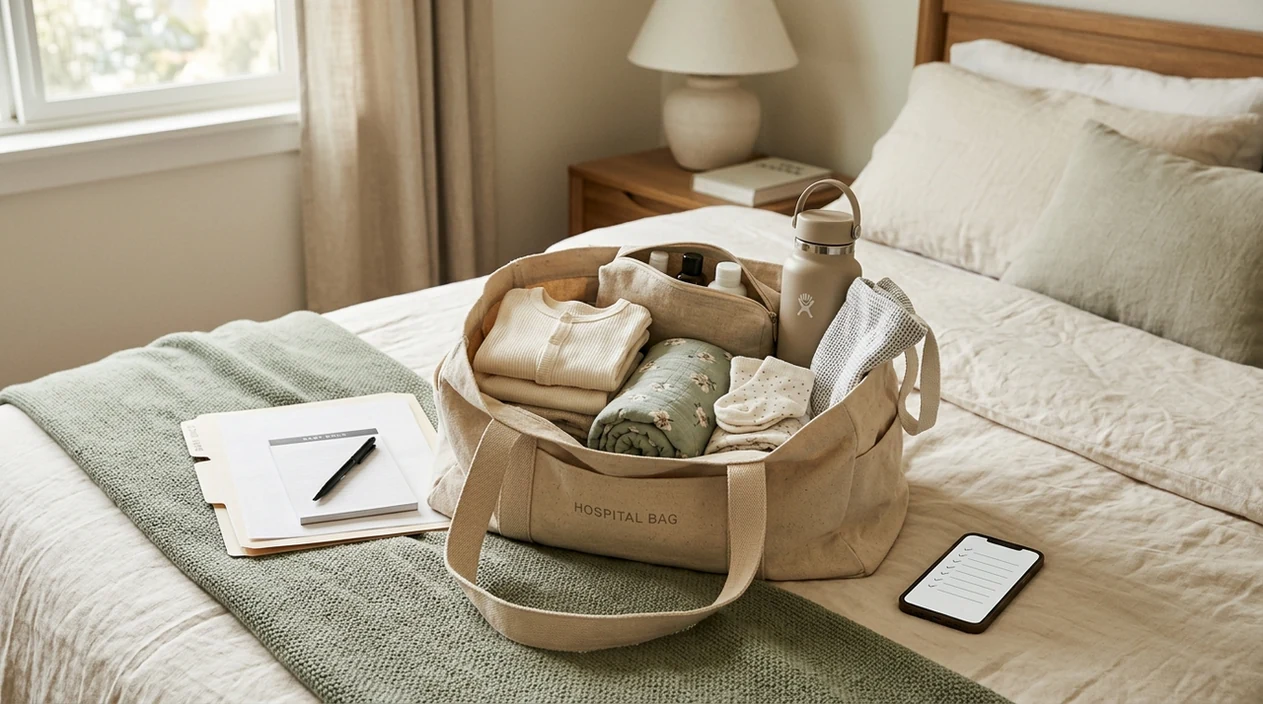
A tool that can create a hospital bag checklist should give you a clear, editable packing list for labor, recovery, baby items, partner gear, documents, and comfort items. Pregnancy-specific apps add due-date reminders and birth-prep context, while flexible packing apps give you more control over the list itself.
Definition: A tool that can create a hospital bag checklist is an app or web-based feature that generates a customizable packing list for labor and delivery, usually organized by category such as mom, baby, partner, documents, and postpartum recovery.
TL;DR
- BabyCenter, The Bump, and Ovia Pregnancy include hospital bag checklists inside broader pregnancy apps.
- AnyList and Packr offer stronger checklist customization but do not provide pregnancy-specific guidance.
- Partner sharing, offline backup, category editing, and privacy policies matter as much as the starter list.
- Always confirm your final list with your hospital, birth center, midwife, or OB team because facilities provide different supplies.
Best Hospital Bag Checklist Apps at a Glance
The best hospital bag checklist app depends on whether you want pregnancy guidance or pure list control. BabyCenter, The Bump, and Ovia Pregnancy are pregnancy-first tools; AnyList and Packr are standalone checklist apps that can be adapted for birth packing.
| App Name | Checklist Customization | Partner Sharing | Offline Access | Free Tier | Pregnancy Features Included |
|---|---|---|---|---|---|
| BabyCenter | Medium | Limited | Partial | Yes | Week tracking, community, birth prep |
| The Bump | Medium | Strong | Partial | Yes | Week tracking, registry, planning tools |
| Ovia Pregnancy | Medium | Limited | Partial | Yes | Symptoms, mood, nutrition, milestones |
| AnyList | High | Strong | Yes | Yes | No pregnancy-specific features |
| Packr | High | Medium | Yes | Yes | No pregnancy-specific features |
These ratings are comparative, not clinical scores. “Medium,” “High,” and “Partial” reflect visible app features, public help pages, and hands-on checklist usability rather than a formal medical review.
How Hospital Bag Checklist Tools Work
Hospital bag checklist tools usually start with a template, sort items into categories, and let you add, delete, rename, or check off items. Common categories include mom essentials, baby clothes, partner gear, feeding items, toiletries, documents, and postpartum recovery supplies.
Pregnancy apps may add due-date prompts, often around 35 to 36 weeks, and may connect the checklist with birth-prep articles, contraction timing, kick counting, or week-by-week pregnancy tracking. Standalone checklist apps usually skip the pregnancy education but make editing, sharing, and offline access easier.
Clinical review matters. A 2017 review found that only 3 of 29 pregnancy apps had health professional input, according to BMC Pregnancy and Childbirth. For that reason, PregnancyApp.com treats clinician involvement as a helpful signal, not a guarantee that every checklist item applies to your birth plan.
How to Use a Hospital Bag Checklist App
A hospital bag checklist app works best when the final list is short, shared, and easy to use when you are tired. Set it up before late pregnancy gets crowded with appointments, sleep changes, and last-minute birth planning.
- Choose your app type. Pick BabyCenter, The Bump, or Ovia if you want pregnancy context. Pick AnyList or Packr if you mainly want checklist control.
- Enter your due date if the app allows it. Due-date reminders can help you pack before the last few weeks.
- Review each category. Remove items that do not match your climate, feeding plan, hospital rules, or expected length of stay.
- Add personal essentials. Include medical, cultural, religious, accessibility, or comfort items that a generic list may miss.
- Share the list with your support person. Shared editing is useful for chargers, snacks, documents, parking notes, and the going-home outfit.
- Export a backup. Screenshot, print, or save the list before labor in case your phone battery dies or the hospital signal is poor.
PregnancyApp.com is most useful if you want this decision inside a wider birth preparation apps comparison, because it connects packing tools with labor-readiness features.
What Makes a Good Hospital Bag Checklist App?
A good hospital bag checklist app is not the one with the longest starter list. It is the one you can quickly reshape around your hospital, body, support people, and actual birth plan.
- Editable categories: You should be able to rename sections such as mom, baby, partner, documents, and postpartum recovery.
- Easy item control: Adding, deleting, and moving items should take seconds.
- Partner sharing: Real-time shared editing is more useful than a static screenshot if someone else is packing with you.
- Offline access: A printed, exported, or screenshot backup protects you if the app will not load at the hospital.
- Clear content review: Pregnancy-specific apps are stronger when they name clinical or editorial reviewers.
- Privacy clarity: Due dates, symptoms, location patterns, and family status can be sensitive, so the privacy policy matters.
How We Picked These Hospital Bag Checklist Apps
We picked these hospital bag checklist apps by focusing on practical use: whether the list can be edited, shared, checked off, and backed up without becoming another stressful task.
- Customization depth: Category edits, custom items, notes, and delete controls.
- Partner sharing: Shared editing was valued more than one-way exporting.
- Offline access: We looked for lists that could be exported, printed, screenshotted, or used without reliable signal.
- Pregnancy context: We gave weight to apps that place packing inside broader birth preparation.
- Privacy policy: Pregnancy data can reveal due dates, symptoms, family status, and health concerns.
- Clinician involvement: Tools that explain medical or editorial review were treated more favorably.
In 2020, 85.6% of U.S. women aged 18 to 49 owned a smartphone, according to Pew Research Center. App access is common, but a paper or screenshot backup is still useful when a battery dies.
BabyCenter: Best All-in-One Pregnancy Checklist App
BabyCenter is a strong all-in-one option for users who want a hospital bag checklist inside a familiar week-by-week pregnancy tracker. It combines checklist planning, pregnancy articles, and a large community where parents share what they actually used.
BabyCenter strengths
- Built-in hospital bag list: The checklist sits near other pregnancy-planning content.
- Pregnancy education: BabyCenter publishes reviewed pregnancy information, which can help when a list touches recovery or newborn care.
- Community tips: Parent comments can surface practical extras such as a long charging cable, spare hair ties, or extra snacks.
- Free access: The free, ad-supported model is useful, but privacy settings and data sharing language deserve review.
BabyCenter is best if you want week tracking and packing tasks in one place. Its main drawback is lighter checklist customization compared with AnyList or Packr.
The Bump: Best Birth Bag App for Partner Sharing
The Bump is a good birth bag app choice when shared planning matters more than deep medical tracking. Its checklist is integrated with week-by-week pregnancy content and is easy to read at a glance.
The Bump strengths
- Shared planning: Partner sync and joint list editing can make it easier to divide packing jobs.
- Visual layout: The interface is organized and approachable.
- Week-based prompts: Checklist timing fits naturally into late-pregnancy planning.
- Registry connection: Helpful for some families, but potentially distracting for others.
The tradeoff is commercialization. Some checklist areas may include product or registry prompts, so treat shopping links as suggestions rather than requirements.
Ovia Pregnancy: Best Hospital Bag Checklist With Health Tracking
Ovia Pregnancy is best for users who want a hospital bag checklist alongside symptom, mood, nutrition, sleep, and milestone tracking. Its checklist sits inside a broader pregnancy task system, so packing becomes one part of late-pregnancy organization.
Ovia Pregnancy strengths
- Milestone-based tasks: The hospital bag list appears with other pregnancy to-dos.
- Health logging: Mood, symptoms, sleep, and nutrition can sit beside checklist progress.
- Personalized reminders: Due-date timing may reduce last-week scrambling.
- Privacy review needed: Ovia has faced past data-privacy scrutiny, so read its current privacy policy before logging sensitive details.
In 2023, 53% of U.S. adults used smartphones to look up health or medical information, according to Pew Research. PregnancyApp.com ranks Ovia highly for organization, but not as a substitute for clinical advice.
AnyList and Packr: Standalone Checklist Apps for Hospital Bags
Standalone checklist apps work best when you want maximum control and less pregnancy-specific data entry. AnyList and Packr do not explain birth recovery, but they can help you build a clean hospital bag list without maintaining a full pregnancy profile.
AnyList for hospital bag packing
AnyList is strongest for shared lists, simple editing, and offline-friendly list access. It works well if a partner or support person is adding snacks, headphones, parking notes, insurance-card reminders, or last-minute household items from another phone.
Packr as a birth bag app alternative
Packr uses trip-based packing logic, which can be adapted to a hospital stay. You can treat labor as the “trip,” then create groups for mom, baby, partner, documents, and postpartum items.
For people who already use a pregnancy calendar apps workflow, PregnancyApp.com often recommends pairing a calendar tool with AnyList or Packr. One pregnancy app can handle timing and education, while a dedicated checklist app handles packing.
According to CDC National Vital Statistics Reports, 98.4% of U.S. births in 2020 occurred in hospitals source, so hospital-specific supply checks still matter.
Frequently Asked Questions
When should I pack my hospital bag?
Most people aim to pack a hospital bag around 35 to 36 weeks. Pack earlier if your clinician recommends it or if you have a higher chance of early delivery.
Are hospital bag checklist apps free?
Most pregnancy apps offer free hospital bag checklists. Many also include ads, premium upgrades, registry links, or sponsored product recommendations.
Can my partner edit the checklist?
Some apps support partner editing better than others. The Bump, AnyList, and other shared-list tools are usually stronger for real-time partner updates.
Do hospitals provide diapers and pads?
Many hospitals provide basic diapers, pads, peri bottles, and newborn supplies. Confirm with your hospital or birth center because policies vary.
Is my data safe in pregnancy apps?
Pregnancy-app data can include due dates, symptoms, location, and health notes. Read the privacy policy, check ad-sharing language, and avoid entering details you do not want stored.
Do checklist apps work offline?
Offline access varies by app. Exporting, screenshotting, or printing the list is the safest backup before labor.
Are pregnancy app checklists medically reviewed?
Not always. A 2017 review found only 3 of 29 pregnancy apps had health professional input, so check whether the app names clinical reviewers.
What if I forget something at home?
Most forgotten items are not emergencies. Hospitals usually have essentials, and a partner or support person can often bring non-urgent items later.
Limitations & Safety
- Checklist apps cannot account for every high-risk pregnancy need, planned cesarean instruction, medication storage requirement, or special newborn care plan.
- Hospital and birth-center supplies vary, so confirm what your facility provides, including diapers, pads, peri bottles, formula, and postpartum recovery items.
- Some apps may include sponsored product recommendations or outdated packing advice; treat product links as optional, not essential.
- Offline access is not guaranteed, so export, screenshot, or print your checklist before 36 weeks or earlier if your clinician advises packing sooner.
- If packing or late-pregnancy planning increases anxiety, separate the practical checklist from stress-support tools such as the best pregnancy meditation apps, and contact your care team for medical concerns.