 Pregnancy
Best Pregnancy Tracker Apps in 2026
Comparing pregnancy tracker apps for week-by-week monitoring — what each app tracks, the content quality, privacy trade-offs, and whether premium features are worth it.
Most pregnancy tracker apps cover the basics: baby size comparisons, weekly development updates, common symptoms, and a countdown to your due date. The real differences are content quality, privacy, labor tools, community features, and whether the app helps you feel calmer or more overwhelmed.
Definition: A pregnancy tracker app estimates your gestational age from a due date, last menstrual period, conception date, IVF transfer date, or ultrasound-adjusted date, then maps that date to a week-by-week pregnancy timeline.
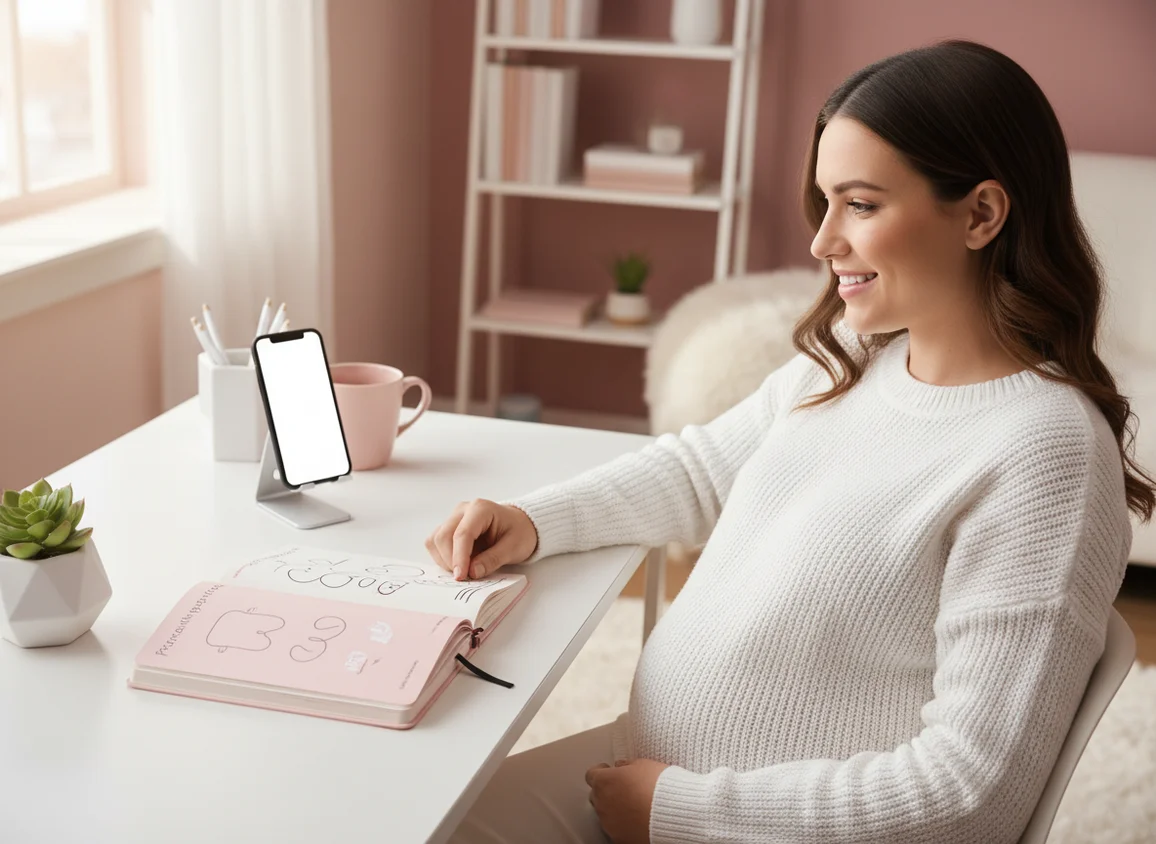
TL;DR: Best pregnancy tracker apps in 2026
- Best for tracking + birth prep: ZenPregnancy combines pregnancy tools with hypnobirthing, breathing, and meditation.
- Best all-around tracker: Flo has the most comprehensive tracking and one of the largest medically reviewed content libraries.
- Best editorial content: What to Expect is strongest for trusted week-by-week pregnancy education.
- Best visuals: The Bump has the most polished baby development images and planning experience.
- Best data-driven option: Ovia is strongest for logging health metrics and food safety questions.
- Best community: BabyCenter has large forums and birth month groups.
Pregnancy app comparison: best by need
The best pregnancy tracker app depends on your main goal: learning what is happening each week, logging symptoms, connecting with other pregnant people, protecting privacy, or preparing for birth.
| App | Best for | Main strengths | Watch-outs |
|---|---|---|---|
| ZenPregnancy | Tracking plus calm birth preparation | Meditations, hypnobirthing, breathing, due date calculator, kick counter, contraction timer | Less encyclopedic weekly content than large trackers |
| Flo | Detailed pregnancy and health tracking | Large content library, symptom logs, pregnancy mode, TTC through postpartum flow | Premium features and privacy considerations |
| What to Expect | Trusted weekly education | Clear articles, medical review, active community | Ad-supported and fewer labor tools |
| The Bump | Visual pregnancy planning | 3D baby visuals, modern design, registry help | Content library is shallower than top editorial apps |
| Ovia Pregnancy | Data-driven personalization | Health logs, charts, food safety database, employer benefit access | Data sharing policies need careful review |
| BabyCenter | Large community forums | Birth month groups, broad pregnancy-to-childhood content | Ads, dated interface, community advice varies |
Pregnancy tracker app reviews
ZenPregnancy approaches pregnancy tracking differently from the big-name trackers. Instead of competing on article volume, it combines a pregnancy tracker with a full hypnobirthing and meditation library, so tracking and birth preparation happen in the same place.
The app includes a due date calculator, kick counter, and contraction timer. The meditation side includes 50+ guided sessions matched to pregnancy, breathing exercises, birth affirmations, and fear release tracks. It is ORCHA certified for health app quality and collects no personal data.
Where ZenPregnancy falls short compared with Flo or What to Expect is content breadth. It does not have a massive article library or deep week-by-week editorial updates. Its strength is what many traditional trackers do not provide: daily meditation, hypnobirthing practice, and labor preparation audio.
What's good
- Tracking, hypnobirthing, breathing, and meditation in one app
- 50+ guided meditation sessions
- Contraction timer, kick counter, and due date calculator
- ORCHA certified and no data collection
- Works offline during labor
What's not
- Week-by-week content is basic compared with dedicated trackers
- No community or forum features
- Smaller content library than Flo or BabyCenter
Flo is the benchmark for comprehensive pregnancy tracking. With over 420 million downloads and a content library reviewed by 100+ medical professionals, it sets a high standard for pregnancy tracker depth. Week-by-week updates are detailed, symptom tracking is broad, and AI-powered insights adapt to logged data over time.
Pregnancy mode gives you daily content, baby development updates, weight and nutrition tracking, appointment reminders, and a large health library. Flo also covers trying to conceive through postpartum, so it can work as one app across multiple stages.
The downsides are privacy trade-offs and the premium wall. Flo collects usage data, though Anonymous Mode is available. Many advanced features require Flo Premium. Flo also does not include hypnobirthing, meditation audio, or a contraction timer, so you may still need separate labor preparation tools.
What's good
- Most comprehensive pregnancy tracking available
- Large medically reviewed content library
- AI-powered health insights
- Covers trying to conceive through postpartum
- Anonymous Mode for privacy
What's not
- No hypnobirthing or meditation audio
- No contraction timer
- Premium required for many features
- Data collection concerns, with opt-out options available
What to Expect is the app version of the bestselling pregnancy book that has been a go-to reference for decades. The editorial quality shows: the articles are readable, researched, and medically reviewed. If you want to understand what is happening with your body and baby each week, this is one of the most trustworthy options.
The app includes week-by-week updates, a due date calculator, a baby name finder, a symptom tracker, and an active community forum. The tone is informative and reassuring without feeling patronizing.
What to Expect is free and ad-supported. It does not include meditation, hypnobirthing, or labor preparation tools, so it works best as a content and tracking app rather than a labor companion.
What's good
- Trusted editorial brand with decades of credibility
- High-quality, medically reviewed content
- Free to use
- Active community forums
- Strong week-by-week pregnancy experience
What's not
- Ad-supported experience
- No meditation or hypnobirthing
- No contraction timer or dedicated labor tools
The Bump stands out for visual design. Its 3D baby development images are among the most detailed and visually appealing in pregnancy tracking. If realistic weekly visuals help you connect with your baby’s growth, The Bump delivers that experience well.
Content covers the standard tracker territory: weekly updates, baby size comparisons, symptom information, and nursery planning tools. Registry integration is useful if you are building a baby registry, and the overall experience feels modern and polished.
Like What to Expect, The Bump is ad-supported and does not include labor preparation tools. Its content library is smaller than Flo’s or What to Expect’s, making it best for people who value visual engagement and clean design over maximum depth.
What's good
- Best 3D baby development visuals
- Clean, modern design
- Registry integration
- Free to use
What's not
- Content library is shallower than top competitors
- Ad-supported
- No labor tools or meditation
Ovia takes a data-driven approach to pregnancy tracking. It logs more health metrics than many competitors, including weight, blood pressure, mood, symptoms, medications, and nutrition. Its food safety database is especially useful for common “can I eat this?” pregnancy questions.
Ovia is often available free through employer health benefits programs. The health tracking is granular, which may appeal to people who want detailed records to discuss with a healthcare provider.
The trade-off is data sharing. Privacy practices and the employer-sponsored model deserve careful review, especially if you plan to log sensitive health details. Ovia’s editorial content is useful but not as strong as Flo or What to Expect, and it does not include meditation or labor preparation tools.
What's good
- Most detailed health metric tracking
- Excellent food safety database
- Often free through employer benefits
- Data-driven health insights
What's not
- Privacy concerns with employer-sponsored model
- Extensive data collection
- No meditation or labor preparation
- Content quality behind Flo and What to Expect
BabyCenter has been around longer than most pregnancy apps, and its biggest strength is community. The forums are large, with birth month groups that can create genuine connection between people at the same stage of pregnancy.
The content library is broad and covers pregnancy through early childhood. It includes week-by-week updates and familiar pregnancy articles, though the interface feels dated compared with newer competitors like Flo or The Bump.
BabyCenter is free and ad-supported. Ads can feel intrusive, and the app can feel cluttered. It is best for people who value community and extensive content over polish, privacy simplicity, or labor-day tools.
What's good
- Largest pregnancy community forums
- Birth month groups for peer connection
- Extensive content from pregnancy through childhood
- Free to use
What's not
- Dated interface design
- Intrusive advertising
- No labor tools or meditation
- Can feel overwhelming and cluttered
How pregnancy tracking apps work
Pregnancy tracking apps use your due date or pregnancy dating information to place you on a standard 40-week pregnancy timeline. They then show baby development, maternal body changes, reminders, symptom logs, and size comparisons for that week.
Most trackers use broad medical milestones rather than your baby’s individual measurements. For example, an app may describe typical fetal movement patterns in the third trimester, but it cannot know your placenta position, medical history, ultrasound findings, or individual risk factors.
Common tools include a pregnancy due date calculator, weight log, appointment notes, symptom tracker, kick counter, and contraction timer. These tools can help you stay organized, but they are not diagnostic.
Pregnancy tracker features that actually matter
The most useful pregnancy app features reduce uncertainty, help you prepare questions for your care team, and support pregnancy without making every symptom feel like an emergency.
- Accurate dating tools: due date, gestational age, and trimester view.
- Clear weekly education: baby development, maternal changes, common symptoms, and appointment prompts.
- Symptom notes: a private place to record nausea, headaches, mood, sleep, fetal movement, or questions.
- Third-trimester tools: kick counting, contraction timing, hospital bag reminders, and labor notes.
- Privacy controls: plain-language data settings and the ability to limit sharing.
- Calming support: breathing, meditation, or affirmations if worry is taking up too much space.
How to choose a pregnancy app
- Decide your main purpose: education, tracking, community, birth preparation, privacy, or all-in-one planning.
- Check medical review: look for clinician-reviewed content, clear sources, and cautious wording around symptoms.
- Review privacy settings: read what data is collected, shared, sold, or used for ads.
- Test the weekly flow: open the app at your current week and see whether the guidance feels clear and respectful.
- Plan for trimester changes: early pregnancy may need nausea and due date tools, while the third trimester may need kicks, contractions, and labor prep.
- Keep your care team central: use app notes to ask better questions, not to self-diagnose.
Best pregnancy tracker app for first-time moms
First-time moms often need more than fetal size comparisons. A helpful app should offer reassurance, clear next steps, symptom context, appointment reminders, and a tone that does not turn every question into fear.
What to Expect is excellent if you want readable, medically reviewed articles. Flo is useful if you like logging symptoms and seeing patterns. ZenPregnancy may suit you if anxiety, sleep, breathing, or birth confidence are a major part of your pregnancy experience. For a deeper guide, see the best pregnancy app for first-time moms.
Kick counter, contraction timer, and birth preparation tools
The third trimester changes what you may need from a pregnancy tracker. Early pregnancy often centers on due dates, nausea, and week-by-week learning. Later pregnancy often becomes about fetal movement, Braxton Hicks, real contractions, labor positions, breathing, and when to call your care team.
A baby kick counter can help you notice and describe movement patterns if your clinician has recommended movement awareness. A contraction timer app records contraction start time, length, frequency, and regularity during early labor. These are note-taking tools, not medical monitors.
A complete birth-preparation setup may include a pregnancy tracker, kick counter, contraction timer, and calm audio library. ZenPregnancy combines these basics with hypnobirthing, breathing, and meditation. You can also compare tools in our guide to the best birth preparation app.
Privacy, evidence, and medical review
Privacy matters because pregnancy apps may collect sensitive data, including period history, due date, symptoms, mood, location, health concerns, and sometimes pregnancy loss. Before logging intimate health information, read the privacy policy and check whether the app shares data with advertisers, offers deletion options, or provides a private mode.
Ovia and Flo have strong tracking features, but their data settings deserve attention. What to Expect, The Bump, and BabyCenter are ad-supported, so the advertising experience may affect how private the app feels. If safety is your priority, review our guide to pregnancy app safety and privacy.
Research suggests pregnancy apps can improve access to information, reminders, and self-tracking, but quality varies widely. The NHS pregnancy week-by-week guide is a useful benchmark for clear pregnancy education. Research published in JMIR mHealth and uHealth has also highlighted that mobile health apps differ in evidence quality, transparency, and clinical oversight.
Digital tools are most useful when they support communication with healthcare professionals rather than replace it. If an app gives advice that conflicts with your clinician’s guidance, your individual care plan should come first.
Final verdict: best pregnancy tracker app in 2026
There is no single best pregnancy tracker app for everyone. Flo is strongest for detailed tracking, What to Expect for trusted weekly education, The Bump for visual planning, Ovia for data-minded users, BabyCenter for community, and ZenPregnancy for combining pregnancy tracking with meditation and hypnobirthing.
If you are choosing today, start with your biggest need. If you want to understand every week in detail, choose a content-rich app. If you want to feel calmer before birth, choose one with guided practice. If privacy is your priority, read data policies before logging symptoms. The right app should make pregnancy feel more understandable and help you bring better questions to your healthcare provider.
Frequently asked questions
What is the best pregnancy tracker app in 2026?
It depends on your priorities. Flo has the most comprehensive tracking and content. ZenPregnancy is best for combining tracking with hypnobirthing and meditation. What to Expect has the strongest trusted editorial content from its bestselling pregnancy book brand.
Are pregnancy tracker apps accurate?
Pregnancy trackers provide general developmental milestones based on standard timelines. They are useful for education and organization, but they cannot account for individual variation, ultrasound findings, or medical history. Your healthcare provider’s assessment is more specific than an app estimate.
Do pregnancy tracker apps cost money?
Most offer free basic tracking, with premium subscriptions for advanced features. ZenPregnancy offers free tools with premium hypnobirthing content. Flo offers free tracking with premium insights. What to Expect, The Bump, and BabyCenter are largely free with advertising.
Which pregnancy tracker has the best content?
Flo has one of the largest medically reviewed libraries, with 100+ medical professional contributors. What to Expect provides trusted editorial content from the bestselling pregnancy book brand. BabyCenter offers extensive articles plus large community forums.
Can I use a pregnancy tracker app with my doctor or midwife?
Yes. Pregnancy tracker apps can help you log symptoms, fetal movement notes, appointment questions, and contraction patterns. Use the data as a conversation starter, not as a diagnosis or replacement for prenatal care.
What is the difference between a pregnancy tracker and a hypnobirthing app?
A pregnancy tracker follows development week by week with milestones and symptom logging. A hypnobirthing app focuses on labor preparation through meditation, breathing, relaxation, and affirmations. ZenPregnancy combines both approaches.
Limitations & Safety
- Disclosure: ZenPregnancy is developed by Pregnancy App, the same company behind PregnancyApp.com. It is listed first because we know it best; Flo and What to Expect offer deeper week-by-week tracking content.
- Apps are not diagnostic: pregnancy trackers provide general education and cannot assess bleeding, reduced fetal movement, severe pain, preeclampsia symptoms, infection, preterm labor, or mental health crises.
- Personal care comes first: app timelines use averages and may not fit high-risk pregnancies, twins, IVF pregnancies, prior loss, gestational diabetes, hypertension, placenta concerns, or individualized care plans.
- Privacy varies: free and employer-sponsored apps may rely on ads, analytics, aggregate reporting, or data sharing, so review privacy policies before logging sensitive information.
- Ratings note: ratings and download counts are from the Apple App Store and Google Play as of early 2026. Send corrections to hello@mindtastik.com.