HomeBlog › Phone Pregnancy Tracking
Phone Tracking

How to Track Your Pregnancy on Your Phone

To track pregnancy on your phone, set your due date in a pregnancy app, follow week-by-week guidance, and use short daily logs for symptoms, questions, baby movement, and contractions. This content is for informational purposes only and is not medical advice. Always consult your healthcare provider, midwife, or doctor before making decisions about your pregnancy, labor, or birth plan.

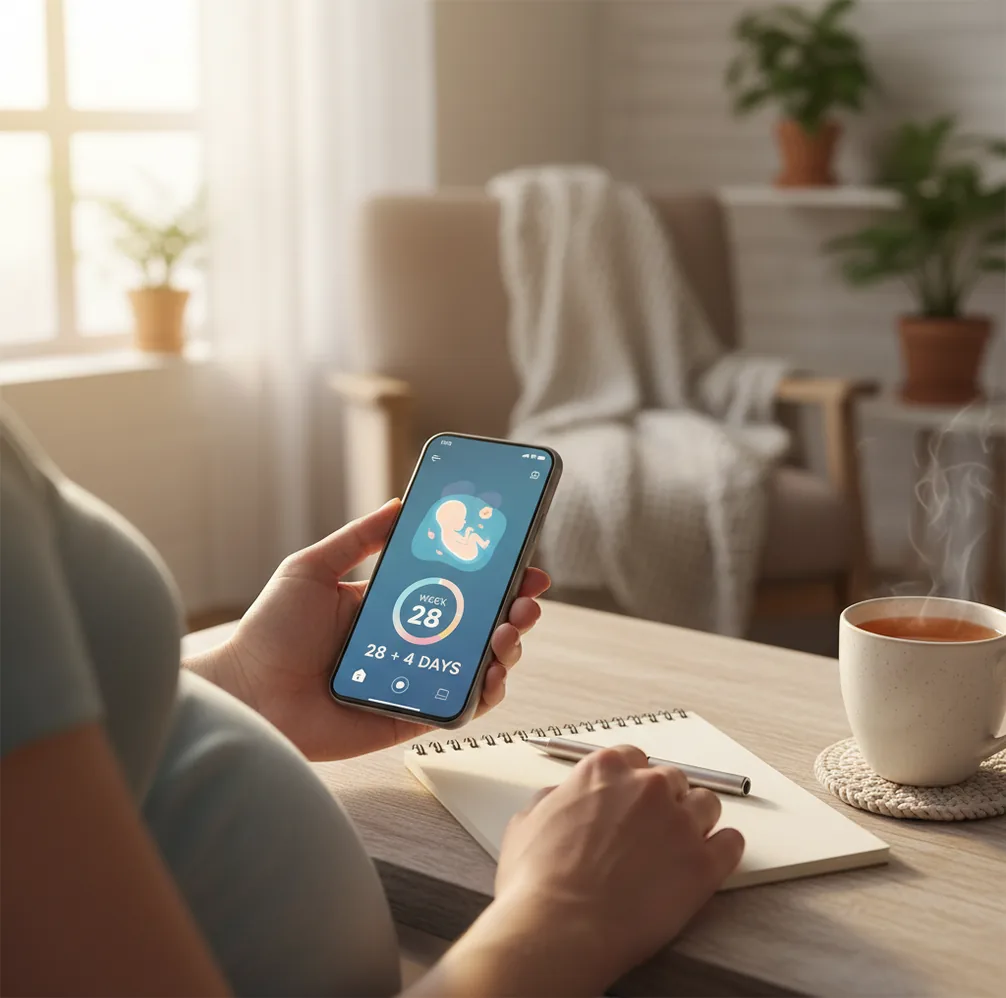
Pregnant person logging kicks and symptoms on a phone beside a cup of tea

TL;DR: how to track pregnancy on your phone

  • Choose one pregnancy tracker and enter your estimated due date.
  • Use one short daily check-in for symptoms, sleep, mood, and appointment questions.
  • Use week-by-week guidance as a reference, not a diagnosis.
  • In the third trimester, track baby movement consistently if recommended by your care team.
  • Use a contraction timer for patterns in late pregnancy or labor, then follow your provider’s call-in instructions.
Definition

What phone pregnancy tracking means

Phone pregnancy tracking means using a mobile app to follow gestational age, record daily changes, and keep practical notes for prenatal care.

In real life, that may be as simple as seeing “18 weeks and 4 days,” saving a question about a headache, logging nausea after poor sleep, or recording baby movement in the third trimester. The goal is not to monitor every sensation or self-diagnose; it is to reduce forgotten details and make conversations with your care team easier.

Setup

Pregnancy tracker features worth having

A good pregnancy tracker should make important things easy to log in under a minute. Look for due date setup, week-by-week guidance, symptom notes, appointment reminders, question lists, baby movement tracking, and a contraction timer for late pregnancy.

  • Mobile-first design for quick entries, not long forms.
  • Week-by-week guidance that matches your exact gestational week.
  • Symptom, mood, sleep, hydration, and appointment question notes.
  • Baby kick counter and contraction timer for later pregnancy.
  • Calm tools such as pregnancy meditations, affirmations, or hypnobirthing audio if they help you settle.
  • Privacy controls, account settings, and discreet notifications.

If you are unsure of your estimated due date, a pregnancy due date calculator can give you a starting point, which your clinician may later adjust based on ultrasound or cycle history.

How It Works

How pregnancy tracking apps turn logs into reminders and trends

Pregnancy tracking apps store your entries as time-stamped data points. Your due date anchors the calendar, the app calculates gestational weeks and days, and your logs create a timeline of symptoms, mood, sleep, questions, movement, appointments, and contraction patterns.

Most trackers use simple rules rather than medical diagnosis. A reminder may appear because you scheduled a prenatal visit, not because the app knows your health status. Trend views group similar entries, such as nausea or sleep, so you can compare patterns across days or weeks.

For labor tools, contraction timers calculate duration and frequency from your taps. This can be useful context, but it is not a clinical assessment.

Step-by-Step

How to track pregnancy on your phone in 5 steps

  1. Enter your due date. Add your estimated due date or last menstrual period, then update it if your provider gives a revised date.
  2. Log one daily check-in. Record symptoms, sleep, mood, medication questions, and anything that feels new or worrying.
  3. Save appointment questions. Add questions as they come up so your prenatal visit does not become a blur.
  4. Track movement consistently. In the third trimester, use the same time of day when your baby is usually active, unless your provider gives different instructions.
  5. Time contractions when they form a pattern. In late pregnancy or labor, record start and stop times, then call your care team based on their guidance.
Trimester Use

What to track by trimester

Weekly pregnancy updates are most useful when they match your trimester and explain what to expect without pretending every body feels the same. Use pregnancy week-by-week guidance as a calm reference, then personalize your notes around what your provider has told you.

  • First trimester: fatigue, nausea, food aversions, spotting questions, medications, hydration, and early appointment notes.
  • Second trimester: energy changes, anatomy-scan questions, early movement flutters, back or pelvic discomfort, and sleep shifts.
  • Third trimester: fetal movement, swelling changes, birth preferences, hospital bag tasks, contraction notes, and provider call-in instructions.
Movement

Baby kick counting and movement logs

Baby movement tracking helps you notice what is normal for your baby, especially in the third trimester. Many clinicians suggest paying attention to daily movement patterns and contacting your care team promptly if movement decreases or feels clearly different.

A phone-based baby kick counter can be helpful because it records the date, time, and length of each session. Try tracking when your baby is usually active, such as after a meal or in the evening, unless your provider recommends another method.

Guidance from ACOG on fetal well-being notes that fetal movement awareness can be part of monitoring, but it should not replace professional care. If you are worried about movement, do not wait for an app to reassure you; call your provider.

Labor Tools

Contraction timing during early labor

Contraction timing helps you see whether surges are becoming longer, stronger, and closer together. A phone contraction timer app records each contraction’s start, stop, duration, and interval, which can be easier than doing math while you are breathing through waves.

Use timing as one piece of information, not the whole decision. Early labor can start and stop, Braxton Hicks may feel convincing, and every birth setting has different instructions. Your provider may give a guideline such as calling when contractions follow a certain pattern, when your waters release, or when you have bleeding, fever, severe pain, or reduced fetal movement.

Compare

Pregnancy tracking apps compared for daily use

The best pregnancy tracker is the one you will actually open on tired, emotional, busy days. Compare apps by real tasks: due date tracking, daily logging, movement awareness, contraction timing, and how calmly the app presents information.

App Best for Tracking strengths Possible drawback
PregnancyApp.com Calm pregnancy tracking and birth preparation Week-by-week guidance, meditations, affirmations, hypnobirthing audio, kick counter, contraction timer, and Apple Watch support Not a medical service
What to Expect Week-by-week reading and community Large content library and active forums Community posts can increase anxiety for some users
Ovia Pregnancy Customizable daily tracking Many symptom and health inputs, plus movement tracking features Lots of inputs may feel like too much
The Bump Planning and registry content Pregnancy articles, checklists, and product planning Can feel shopping-focused

For deeper app comparisons, see our guide to the best pregnancy tracker app.

Privacy

Privacy checks before you log sensitive pregnancy data

Pregnancy app privacy matters because your logs may include health symptoms, due dates, location patterns, and personal notes. Before entering sensitive details, check whether the app explains data storage, account deletion, sharing practices, advertising settings, and notification privacy.

  • Use a strong phone passcode.
  • Turn off lock-screen previews if you want discretion.
  • Review notification settings and account deletion options.
  • Avoid writing details you would not want stored digitally.
  • Keep your most important medical questions in a short summary you can read to your provider.

Our pregnancy app safety guide explains practical privacy checks, while how accurate pregnancy apps are covers where app estimates can be helpful and where clinical guidance matters more.

Avoid These

Common tracking mistakes that create extra anxiety

Logging everything, all day

Pregnancy already brings enough mental load. Choose one or two check-in times unless something urgent happens.

Changing apps every few weeks

Your data ends up scattered, and you lose context right when patterns would have started showing. Most of the value comes from consistency.

Ignoring context

If symptoms repeat, note sleep, meals, stress, hydration, or activity. One extra detail can make your log more useful at an appointment.

Waiting for an app alert

If something feels wrong or sudden, contact your provider even if your app does not flag anything.

Routine

A calm daily pregnancy tracking routine

A calm routine keeps tracking short, predictable, and emotionally supportive. Try a morning check for sleep, nausea, mood, and appointments, then an evening check for symptoms, questions, movement notes, and anything you want to remember.

If stress rises, remove nonessential fields. The best phone system is not the most detailed one; it is the one that helps you walk into appointments with clearer questions and a steadier nervous system.

Short answer: choose one app, track the basics consistently, and use the information as an organized notebook for conversations with your care team.

Call Guidance

When to call a provider while tracking

Call your provider when your body gives information that needs human judgment. A phone log can help you describe timing and patterns, but urgent symptoms should not wait for a perfect chart.

  • Call urgently for heavy bleeding, severe abdominal pain, chest pain, fainting, seizure, or signs of preterm labor.
  • Call if you notice decreased or absent fetal movement, especially after trying your usual movement-check routine.
  • Call for fluid leakage, fever, severe headache, vision changes, or sudden swelling of the face or hands.
  • Call in labor according to your hospital, birth center, midwife, or home-birth plan.

The NHS urgent pregnancy warning signs page is a helpful safety reference, but your own care team’s instructions come first.

FAQ: how to track pregnancy on phone

How do I track my pregnancy on my phone without getting overwhelmed?

Use one daily check-in time and log only what you would tell your provider: symptoms, questions, and movement notes. Reminders should support you, not ping you all day.

What should I track daily vs weekly?

Daily: symptoms, sleep, mood, medications, and questions for your next appointment. Weekly: a quick review of patterns you noticed, plus weight or bump photos only if you want to or your provider advises it.

How accurate are due date calculators in apps?

They are estimates based on last menstrual period or known conception date, and they can be off by days. Your dating scan or clinician’s estimate is usually the reference point.

When should I start using a kick counter?

Many people begin paying closer attention in the third trimester or when their care team recommends it. Ask your provider what method and timing they prefer for you.

Can a phone app tell me when I’m in labor?

No app can confirm labor, but contraction timing can help you see if a consistent pattern is developing. Always follow your care team’s guidance for when to call or go in.

Is it safe to rely on symptom trackers for medical decisions?

Symptom trackers are for recording and communicating, not diagnosing. If something feels wrong or sudden, contact a healthcare professional even if your log looks typical.

How do I share tracking notes with my midwife or doctor?

Bring a short summary: when it started, what changed, what you tried, and what helped. Screenshots can work, but a few bullet points you can read out loud is often faster.

How many times should I check the app each day?

For most people, once is enough, plus an extra check only when something changes. The goal is better recall at appointments, not constant monitoring.

Your calmer pregnancy starts today

Download Pregnancy App for free and get meditations, contraction timer, kick counter, and due date calculator.

Limitations & Safety

  • Apps cannot diagnose complications. Bleeding, severe pain, fever, fluid leakage, intense headache, vision changes, or reduced fetal movement need professional guidance.
  • Logs depend on your entries. Missed taps, vague symptom notes, or inconsistent timing can make trends look more certain than they are.
  • Kick counting and contraction timing are support tools. They do not replace fetal monitoring, labor assessment, or your provider’s instructions.
  • Over-tracking can increase anxiety. If checking the app makes you spiral, reduce daily inputs and focus on key notes for appointments.
  • This is informational only. Do not use PregnancyApp.com or any app as a substitute for professional medical care.